
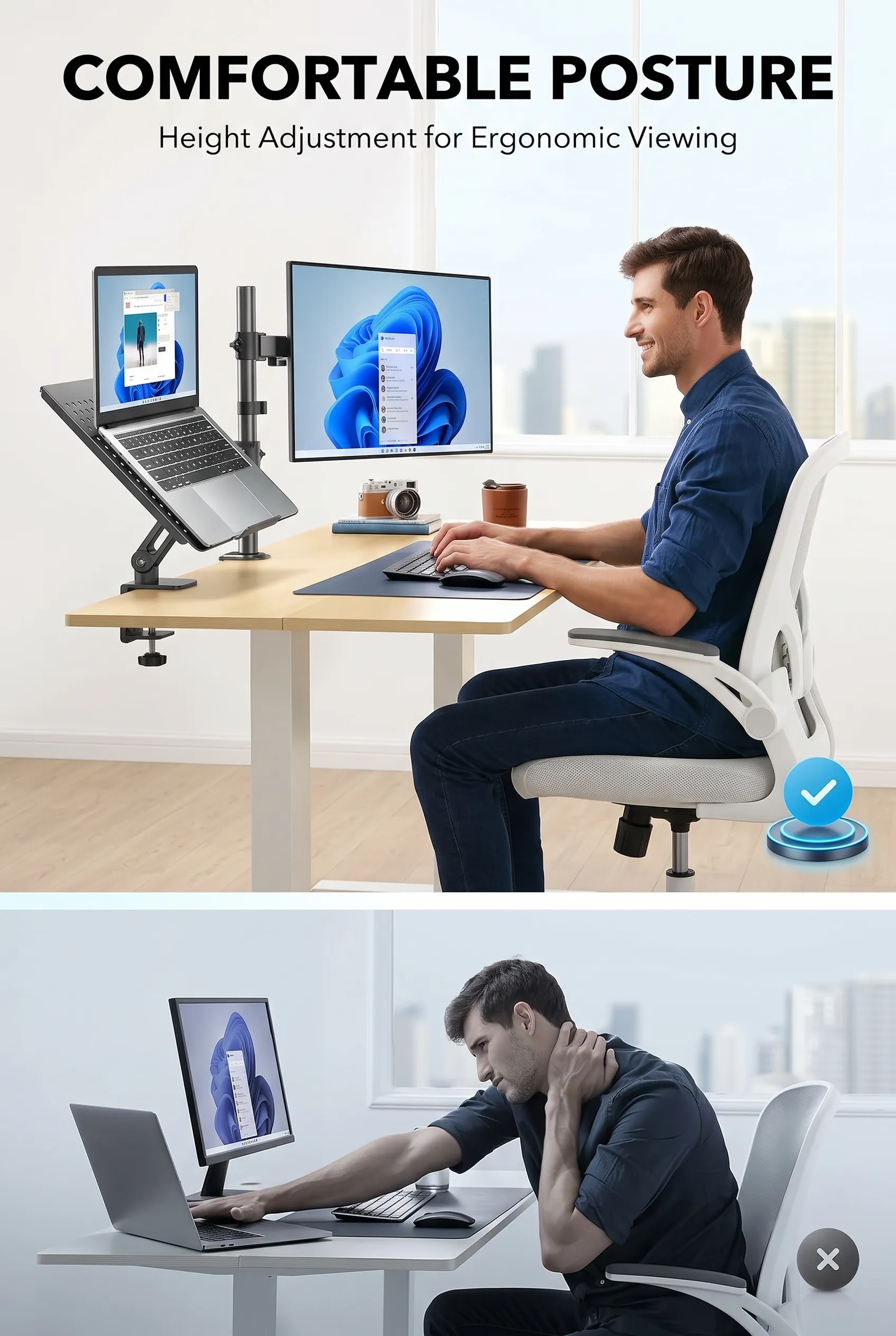
You have a laptop and an external monitor. The laptop sits flat, so you spend eight hours looking down at it. The monitor sits on its factory stand, which is too low and eats a hand’s width of desk depth. Your neck knows all about it by Thursday.
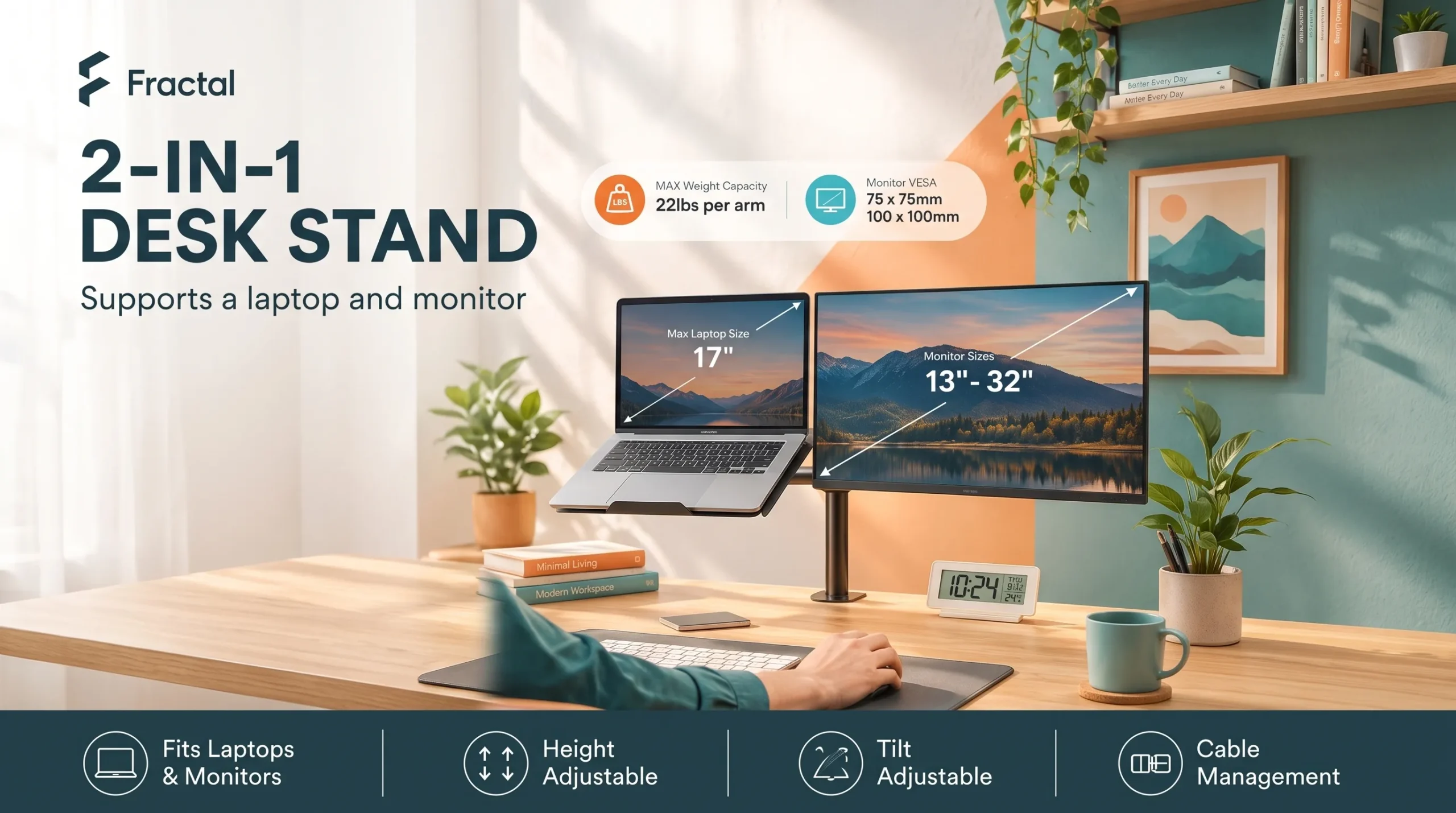
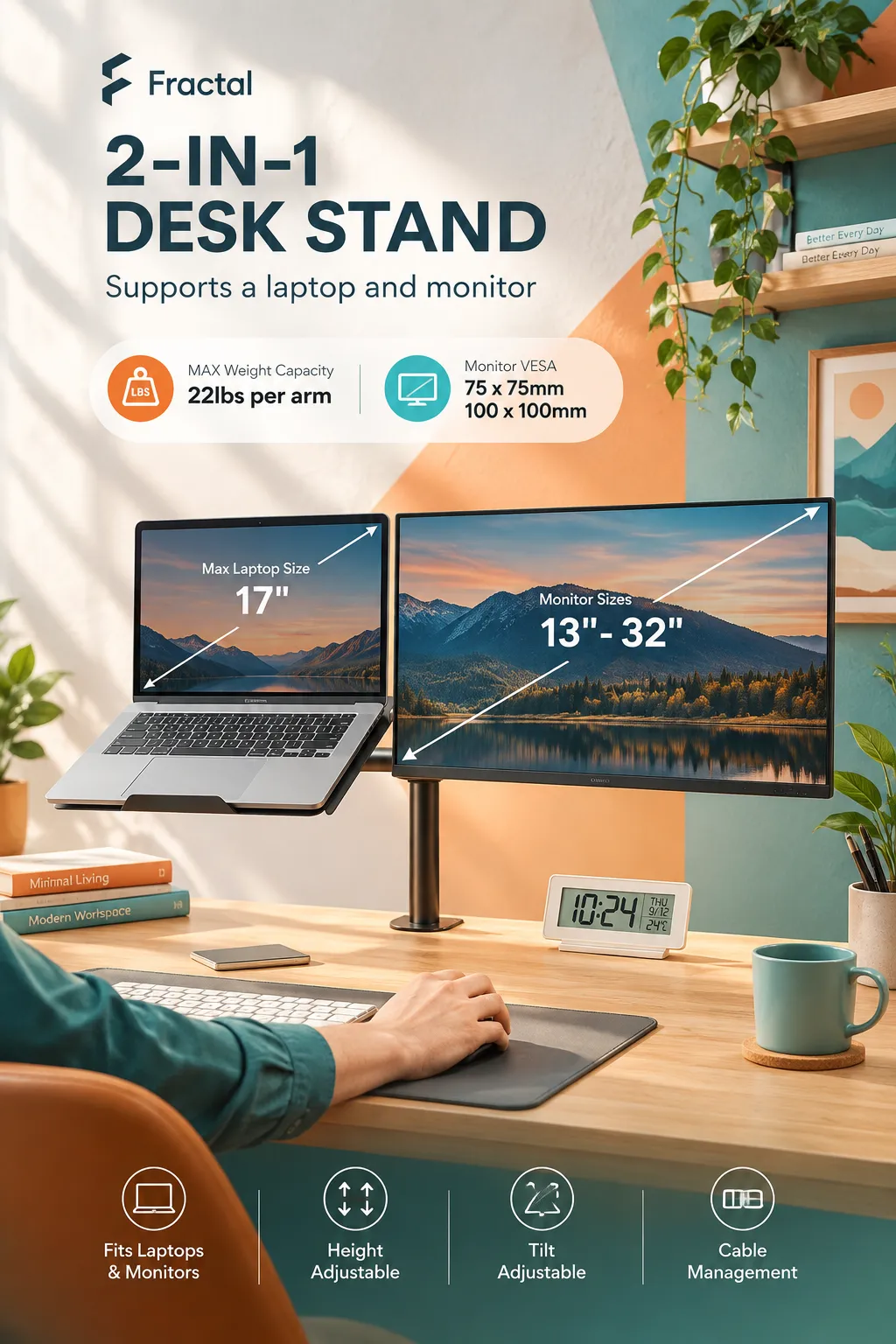
The usual fixes are a separate laptop riser plus a separate monitor arm — two purchases, two footprints, and a laptop that still occupies desk space. This HUANUO mount takes a different route: one clamp point on the desk edge, one column, two arms. One holds a VESA monitor, the other holds a ventilated tray for your laptop. The monitor arm handles 13–32″ screens with VESA 75x75mm or 100x100mm patterns and supports up to 22 lbs, while the tray measures 14″ x 12″ with a 0.8″ bottom lip. That’s the whole pitch, and whether it works for you comes down to a few measurements you should take before ordering.
The specific problems it addresses
Your laptop screen is 12 inches below eye level. A tray on an articulating arm lifts the laptop to roughly monitor height instead of leaving it flat. Anyone working long hours on a laptop as a second screen benefits most here.
Your desk is buried. Both devices come off the desktop entirely. The mount also includes integrated cable management to route wires out of the way. That matters more on a shallow desk than a deep one.
Your monitor’s factory stand doesn’t move. The arm offers +/-45° tilt, +/-90° swivel, 360° rotation, and a height range of up to 17″. The 360° rotation is the useful one if you ever read long documents or code in portrait orientation.
Your laptop runs hot when stacked on a riser. The tray uses a ventilated design intended to reduce heat buildup. I can’t verify how much difference that makes in practice, but an open-mesh tray is structurally better than a solid shelf for airflow.
You want a second screen without a second monitor. If you already own a laptop, this turns it into a usable side display rather than a closed clamshell.
What it actually is
A single-column desk mount with two independently positioned arms. The laptop arm extends up to 16″, and the arms can generally be arranged side by side or stacked — one of the main reasons people choose a combo mount over two separate products. It’s built for a desk where a laptop is a permanent part of the workflow: a home office, a dorm, a hot desk at a small company, or a hybrid worker who docks the same machine every day.
It is not a pneumatic gas-spring arm. Nothing in the listing indicates gas springs, and the instruction to tighten the adjustment screws firmly points to a friction-joint design. Practically: you set a position and it stays there, but changing height or angle means loosening and retightening rather than nudging the screen with one finger. If you reposition your monitor several times a day, that’s a real difference in daily feel.
The specs that decide whether it fits your gear
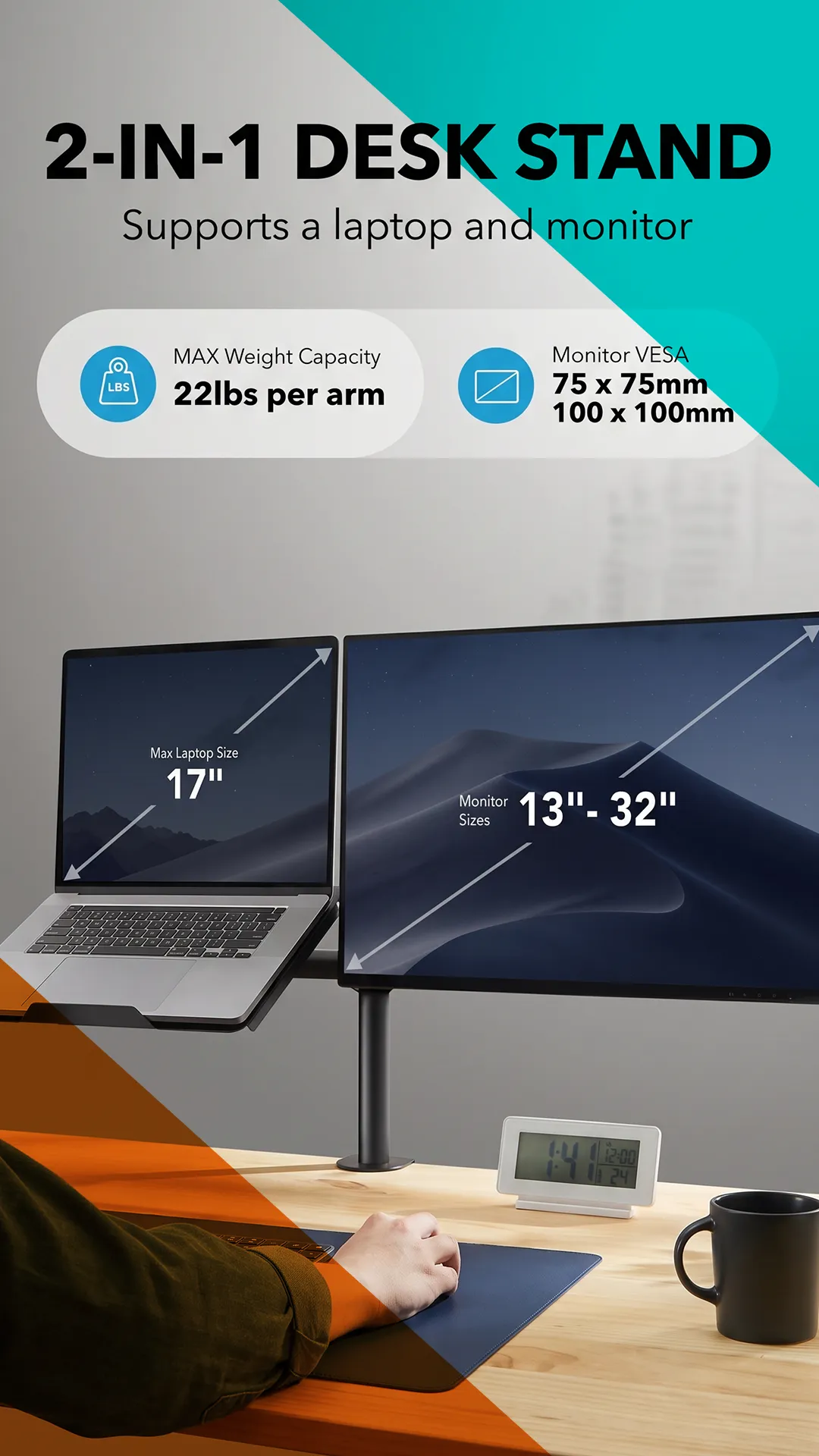
22 lbs monitor capacity. Generous for this category — plenty of competing combo mounts stop at 17.6 lbs. Most 24″ and 27″ panels come in well under that, though heavy 32″ curved models can get close. Weigh your monitor with the VESA plate on and the factory stand off.
13–32″ screen range, VESA 75 or 100. Check your monitor actually has VESA holes. Many consumer displays — especially thin all-in-one-style panels and some budget models — either lack them or need a proprietary adapter.
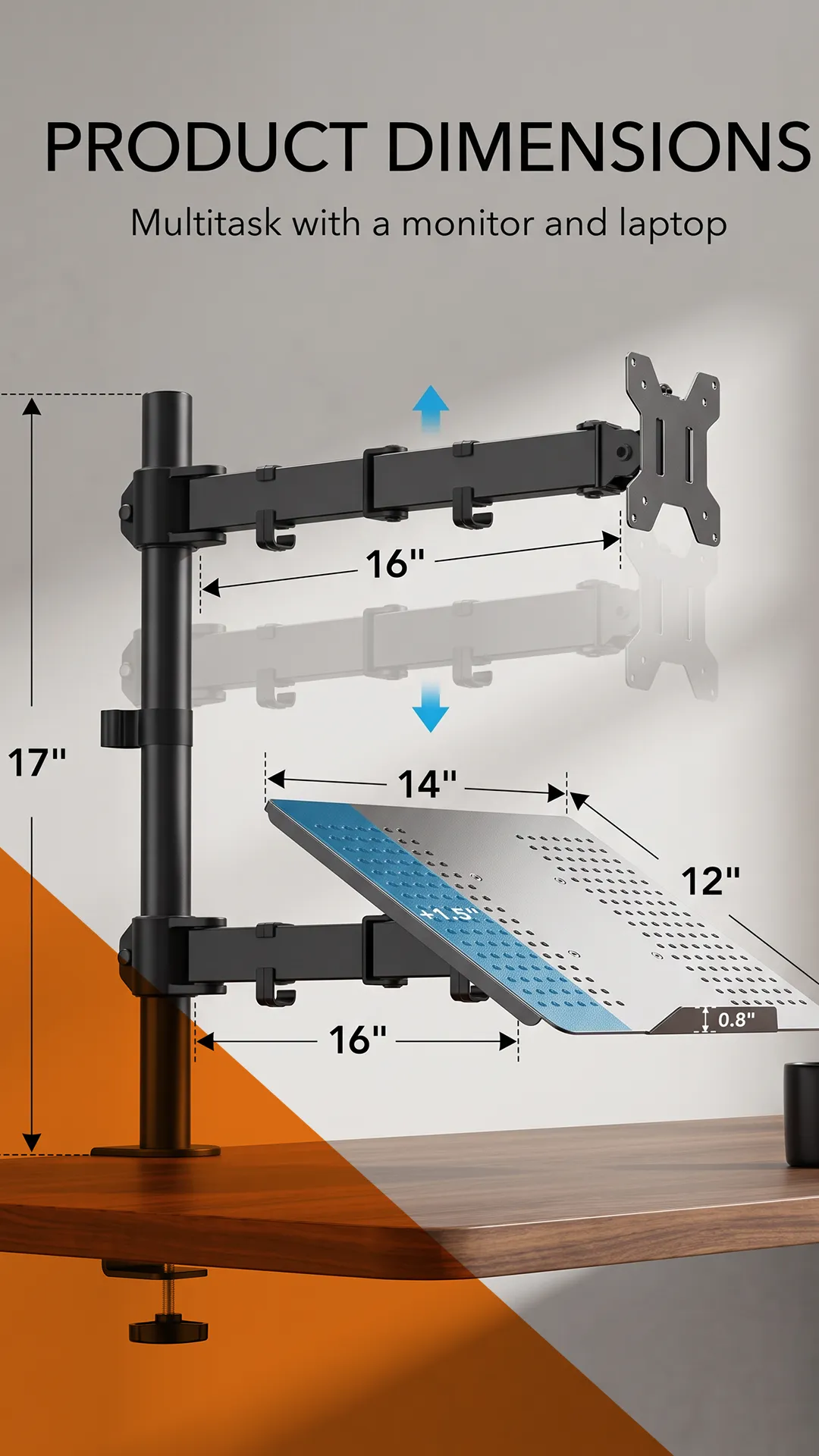
14″ x 12″ tray. This is the constraint most buyers underestimate. A 13″ or 14″ laptop sits comfortably. A 15.6″ machine will overhang the sides, and a 16–17″ laptop will overhang significantly. The 0.8″ front lip is there to stop the laptop sliding off, and other HUANUO models in this family use a larger 15″ x 17″ tray. If you run a big laptop, confirm the tray dimensions on the specific listing before buying — the sizes vary between near-identical-looking variants.
17″ height range, 16″ laptop arm reach. Enough to get both devices near eye level on a standard-height desk. Very tall users on low desks may still want more.
Mounting. HUANUO’s mounts in this line typically include both a C-clamp and a grommet base. The exact supported desk thickness for this ASIN isn’t something I could verify — related HUANUO listings quote different ranges, and some note the clamp is intended for wooden desktops. Measure your desk thickness and check the seller’s stated range. This matters if you have a very thick butcher-block top, a glass desk, or a crossbar running under the front edge.
Laptop tray weight limit. Not stated in the title supplied. Buyers with heavy 17″ workstation laptops should confirm this with the seller.
Questions worth answering before you click buy
Will it hold a 32″ monitor? The range says yes, up to 22 lbs. Large curved panels near the top of that range put more leverage on a friction arm, so expect to tighten the joints carefully.
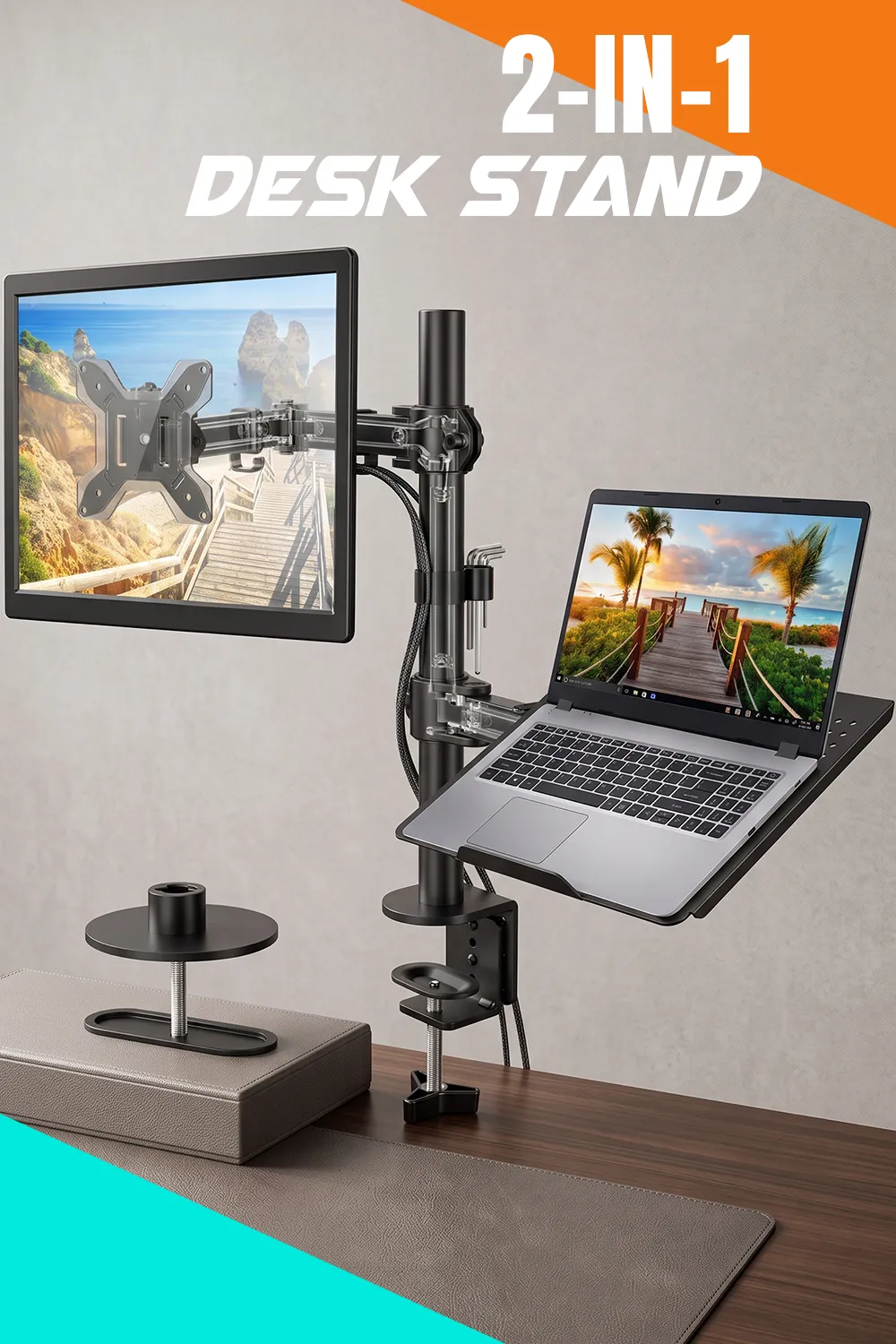
Can I put the laptop on the left or the right? Combo mounts of this type generally allow either side and side-by-side or stacked layouts. Confirm on the listing images for your specific configuration.
How hard is assembly? These mounts ship with hardware and a manual, and a detachable VESA plate is standard on HUANUO’s combo models. Expect 20–40 minutes with an Allen key. I can’t verify instruction quality for this listing.
Will it sag? Friction-joint arms hold position when tightened properly. Sag complaints in this category usually trace back to under-tightened joints or exceeding the weight limit. Long-term durability isn’t something I can confirm.
Does my desk need a hole? Only if you use the grommet base. The C-clamp is the more common choice.
What about a MacBook with a closed lid? The tray holds the laptop open, screen up. If you’d rather run it closed and docked, you don’t need a tray mount at all — a vertical stand is cheaper.
How it compares, and what you give up
Against dedicated single monitor arms, this one adds the laptop tray and a higher-than-typical 22 lb rating, but it lacks gas-spring effortless adjustment that similarly priced single arms often include now. Against premium ergonomic brands, you’re trading refinement, published warranty terms, and one-touch repositioning for a much lower price and a second device holder. Against buying a riser plus an arm separately, you save desk space and a clamp point but accept a fixed tray size.
The honest summary: this is a value-segment mount that buys you function, not polish.
Is it worth the money?
HUANUO’s own site has listed mounts in this family in roughly the $46–$83 range depending on model, and Amazon pricing for combo mounts of this type typically sits well under what a single premium arm costs. Prices and availability change constantly, so treat that as context and check the listing.
Good value if: you need both devices lifted, your laptop is 15.6″ or smaller, and you set your position once and leave it. Weak value if: you only need a monitor arm (buy a gas-spring single arm instead), you own a 17″ laptop, or you reposition your screen constantly.
Pros and cons
Pros: 22 lb monitor capacity above the category norm; wide 13–32″ and VESA 75/100 compatibility; full tilt, swivel, and 360° rotation; 17″ height range; ventilated tray with a retaining lip; built-in cable routing; frees substantial desk space.
Cons: 14″ x 12″ tray is tight for 15.6″+ laptops; friction joints rather than gas springs mean fiddlier adjustment; tray weight limit not stated; exact desk-thickness compatibility varies by listing and needs confirming; requires a VESA-compatible monitor.
Who should buy — and who shouldn’t
Buy it if you’re a hybrid or remote worker, student, or anyone permanently running a laptop alongside one external monitor on a standard wood desk, with a laptop 14″ or under and a monitor inside the size and weight limits.
Look elsewhere if you have a 16–17″ laptop, a glass or ultra-thick desk, a monitor without VESA holes, a need for frequent one-handed screen repositioning, or you’re running two monitors plus a laptop.
Before ordering, check
Your monitor’s VESA pattern and weight without its stand; your laptop’s footprint against 14″ x 12″; your desk thickness and material; whether the desk edge is clear of drawers and crossbars; and whether the listing states a tray weight limit.
Final verdict
What it does well is consolidate a laptop stand and monitor setup onto one clamp point with a genuinely useful weight rating and a wide screen-size range. Its biggest limitation is the tray size — 14″ x 12″ quietly rules out a large share of modern laptops. It suits budget-conscious desk builders with smaller laptops, and it’s the wrong choice for anyone wanting effortless gas-spring adjustment or hosting a big 17″ machine.
If your neck is paying the price for a laptop sitting flat next to a too-low monitor, this adjustable monitor arm is the kind of fix worth pricing out — check the current Amazon listing, confirm the tray dimensions and desk-thickness range against your own setup, then decide.
