
A laptop is convenient until your desk starts turning into a cable-management project. One connection for an external monitor, another for Ethernet, a charger taking up a port, plus flash drives, a keyboard, or a mouse. That is the point where a compact laptop docking station can make a real difference.
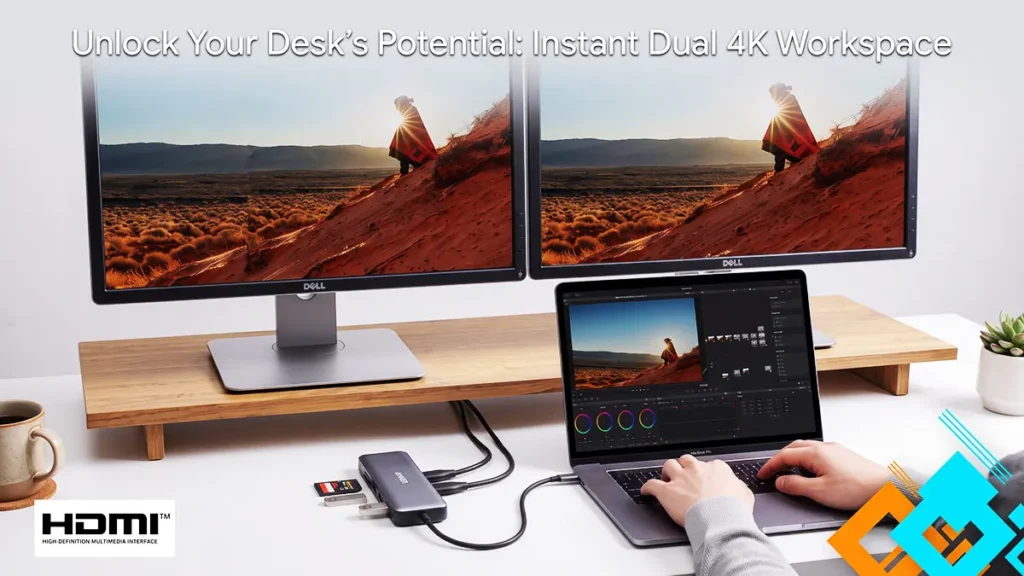


The Anker 8-in-1 USB-C Hub is designed for people who want to turn a USB-C laptop into a more usable desk setup without buying a large, permanent dock. It is especially appealing for home-office workers, students, hybrid employees, and travelers who need monitor output, wired internet, USB accessories, and pass-through charging in a small package. The important question is not simply how many ports it has, but whether its port mix matches the way you actually work.
Affiliate disclosure: This article may contain affiliate links to Amazon and AliExpress. If you make a qualifying purchase through one of those links, the writer may earn a commission at no extra cost to you. Pricing and availability can change, so check the final details at checkout.
Common Docking Problems—and What This Hub Addresses
The first problem is simple: modern thin laptops often provide too few ports. A USB-C laptop may have the physical capability to run a monitor, connect USB devices, charge, and access a wired network, but you cannot do all of that easily when there are only one or two USB-C ports available. The Anker hub brings several of those connections together through one USB-C cable.
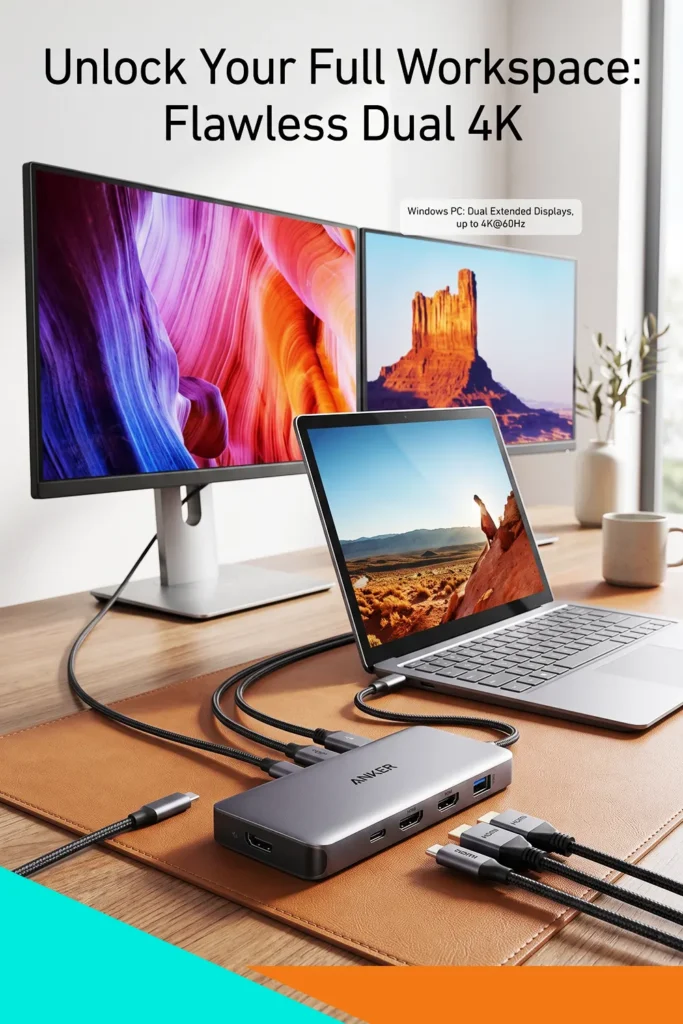
The second frustration is the clutter of a basic desk setup. A separate HDMI adapter, USB splitter, Ethernet adapter, and card reader can work, but they quickly create a tangle of small accessories. This hub combines those functions into one compact unit, which can make a laptop docking station home office arrangement feel much more organized.
Third, many people need an external monitor but do not need a full-scale enterprise dock with multiple video outputs, a large power brick, and a permanent footprint on the desk. This product is better suited to the person who needs one HDMI display connection rather than an elaborate multi-monitor command center.
There are limits. It is not a dedicated dual-monitor docking station, and it should not be mistaken for one. Its usefulness depends heavily on the USB-C capabilities of your laptop, the charger you use, and the resolution and refresh rate you expect from your display.
Product Overview
The Anker 8-in-1 USB-C Hub is a compact USB-C adapter intended to expand a laptop’s connectivity through a single USB-C connection. Its practical role is to serve as a small desktop hub when you are working at a desk, then pack away easily when you need to take your laptop elsewhere.
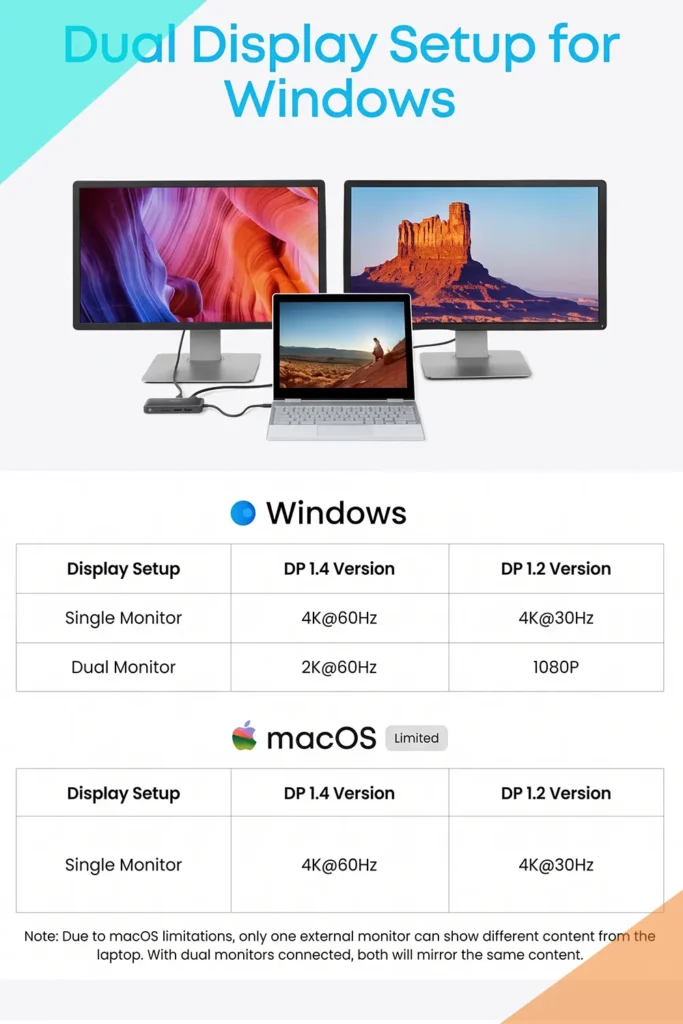
Its port selection includes HDMI for an external display, USB-A ports for peripherals and storage devices, USB-C data connectivity, USB-C Power Delivery input, Ethernet, and card-reader support. In practical terms, it lets you connect a monitor, wired internet, common USB accessories, charging power, and memory cards without repeatedly swapping adapters.
That makes it less like a traditional bulky docking station and more like a travel-friendly expansion hub. The difference matters. A full desktop dock is usually designed to stay in one place and may support more displays, more charging output, and more high-bandwidth devices. This Anker model aims for versatility in a much smaller form factor.
Key Features of This Laptop Docking Station
HDMI output for a sharper external workspace
The HDMI port supports 4K output at up to 60Hz when the connected laptop, cable, display, and USB-C connection support that mode. For day-to-day work, this can mean a cleaner external screen for spreadsheets, browser windows, editing timelines, dashboards, and presentations.
A 4K display at 60Hz is especially useful if you want more usable desktop space or simply prefer smoother cursor movement and scrolling compared with a 30Hz setup. The value here is not only sharper video. It is the ability to keep your laptop screen for communication tools while moving your main work to a larger monitor.
The limitation is compatibility. USB-C is a connector shape, not a guarantee that every laptop supports video output. Your computer needs USB-C video capability, commonly associated with DisplayPort Alt Mode or a compatible Thunderbolt implementation. A USB-C port that only handles charging or data may not send video through the hub.
Power Delivery pass-through
The hub includes a USB-C Power Delivery input, allowing you to connect a compatible USB-C laptop charger to the hub rather than directly to the computer. That way, a single connection to the laptop can provide power while also carrying display, accessory, and network connections.


For a fixed home-office setup, this is the feature that makes the hub feel closer to a true docking solution. Sit down, plug in one cable, and your monitor, peripherals, wired network, and charging connection can be ready at once.
Keep expectations realistic: the hub does not replace a laptop charger. You will need to supply a compatible USB-C charger separately, and some power is reserved for the hub’s own operation. If your laptop needs a high-wattage charger, make sure the charger and hub’s supported pass-through capability are appropriate before treating this as your everyday power setup.
USB ports for the accessories that stay on your desk
The USB-A and USB-C data ports are meant for routine devices such as a keyboard, mouse, USB flash drive, external storage, headset receiver, or wired webcam. This is useful for people who use a laptop at home but want a more desktop-like setup during the workday.
The convenience is easy to underestimate. Instead of reconnecting several accessories individually every time you move your laptop, you can leave those cables connected to the hub. That makes transitioning from mobile work to desk work faster and less irritating.
As with any compact hub, bandwidth is shared among connected devices. It is a sensible choice for normal peripherals and occasional storage transfers, but users who regularly connect several fast external drives, capture devices, or other demanding equipment may prefer a higher-bandwidth dock with a more specialized port arrangement.
Gigabit Ethernet for a steadier wired connection
Wi-Fi is often good enough, but wired Ethernet still has a place in a home office. It can help in rooms with inconsistent wireless coverage, during large uploads, and when you want a stable connection for video calls or remote work.
The Ethernet port is also handy for people whose laptops no longer include one. For remote workers handling cloud files, frequent meetings, or business systems that are sensitive to connection interruptions, being able to plug into a wired network can be more valuable than another USB port.
Of course, Ethernet only helps if you have access to a router or network jack. It is a practical option, not a universal necessity.
SD and microSD card access
Built-in card readers are convenient for photographers, content creators, drone users, and anyone moving files from a camera or mobile device. Having SD and microSD support on the same hub means one less separate reader to carry.

This feature is most useful for occasional transfers and compact workflows. If you routinely ingest very large batches of high-resolution video or photos, confirm the supported card-reader performance and workflow needs before buying. A dedicated professional reader may still make sense for heavy media work.
Real-World Use: Home Office, Shared Desk, and Travel
For a laptop docking station home office setup, this product makes the most sense when your desk has one monitor and a handful of everyday accessories. Picture a USB-C laptop connected to an HDMI monitor, a wired keyboard and mouse, Ethernet, and a charger. Rather than plugging in four or five individual cables each morning, you connect the hub to your laptop and begin working.
It is also a practical fit for a shared workspace. If two people use the same desk on different days, the monitor and peripherals can remain connected to the hub. Each person only needs to connect the hub’s USB-C cable to a compatible laptop. That is cleaner than building a permanent desktop computer setup around one person’s machine.

Portability is one of the product’s strongest advantages. Large docking stations often make sense for a dedicated desk, but they are awkward to carry to a client site, classroom, hotel, coworking space, or meeting room. A compact hub is easier to put in a laptop sleeve or tech pouch.
Setup should be straightforward for many compatible laptops: connect the hub, connect the display and accessories, then connect a USB-C charger to the hub if you want power pass-through. Still, compatibility checks matter more than setup complexity. Before purchasing, verify your laptop’s USB-C video support, charging requirements, operating system compatibility, and display requirements.
How It Compares to Other Options
| Option | Best for | Main advantage | Main trade-off |
|---|---|---|---|
| Compact 8-in-1 USB-C hub | One-monitor workspaces, travel, light-to-moderate desk setups | Small footprint and useful all-in-one port selection | Fewer expansion options than a large dock |
| Basic USB-C multiport adapter | Occasional HDMI and a few USB devices | Usually smaller and simpler | May omit Ethernet, card readers, or enough ports |
| Full-size desktop dock | Permanent workstation setups and heavier connectivity needs | Often offers more displays, ports, and power flexibility | Larger, less portable, and typically more expensive |
| Separate single-purpose adapters | Infrequent, specific needs | Buy only the function you need | More clutter and more cables to manage |
The Anker hub sits in the middle of the category. It offers meaningfully more flexibility than a minimal HDMI adapter while avoiding the size and complexity of a full desktop docking station.
That position is ideal if your goal is to make a laptop work better at a single-monitor desk. It is less ideal if you need two or more external displays, numerous high-speed drives running at once, a large number of USB ports, or a highly specialized professional setup.
Pros and Cons
Pros
- Combines HDMI, USB expansion, wired Ethernet, card readers, and USB-C charging pass-through in one compact device.
- Supports a 4K HDMI connection at up to 60Hz in compatible setups.
- Reduces cable swapping for a one-monitor desk arrangement.
- Includes Ethernet for laptops without a built-in wired network port.
- Portable enough to use as both a desk accessory and a travel adapter.
- Card-reader support is useful for camera and media workflows.
Cons
- Designed around one HDMI display, not a dual-monitor workstation.
- Requires a laptop with compatible USB-C video output for HDMI functionality.
- A separate USB-C charger is needed for pass-through charging.
- Shared bandwidth can be a consideration with several demanding peripherals connected at once.
- The attached host cable and compact design may be less flexible than a full dock with separate, replaceable cables.
Who Should Buy It

This hub is a strong candidate for:
- Remote and hybrid workers using a single external monitor at home.
- Students who connect to a monitor, keyboard, mouse, flash drive, and Ethernet at a dorm or study desk.
- Travelers who want HDMI, USB ports, Ethernet, and card readers without carrying separate adapters.
- Owners of slim USB-C laptops that lack HDMI, Ethernet, SD card slots, or enough USB-A ports.
- People who want a cleaner desk without committing to a large permanent docking station.
It is particularly compelling when you want one compact item to solve several ordinary laptop limitations at once.
Who May Want Something Else
Look beyond this model if you need dual or triple external displays, especially for a trading desk, engineering workspace, or video-editing setup. A dedicated multi-display dock will usually be the more appropriate category.
You may also want a different solution if your laptop uses a proprietary charging connector, lacks USB-C video output, requires more power than your planned USB-C charging arrangement can provide, or needs a much larger collection of ports.
Heavy storage users should think carefully, too. If your routine involves several high-speed external SSDs, video capture equipment, audio interfaces, and other bandwidth-intensive devices at the same time, a more advanced dock may offer a better long-term fit.
Buying Considerations Before You Commit
Before choosing this laptop docking station, check four things.
First, confirm USB-C video support on your specific laptop. The hub’s HDMI port depends on the laptop being able to output video through USB-C.
Second, consider your display needs. If one external HDMI monitor is enough, the format makes sense. If you are planning multiple monitors soon, buying a more capable dock now may save you from replacing this hub later.
Third, check charging requirements. The compact design is easy to carry, but you will still need a compatible USB-C power adapter for pass-through charging. Be sure your charger can adequately power your laptop in addition to the hub.
Finally, assess your desk and travel habits. For a small desk, temporary workspace, or laptop bag, a compact hub is easier to live with than a larger docking station. For a permanent desktop workspace with many accessories, the convenience of a larger dock may outweigh its bulk.
Is It Worth the Price?
Value here comes from consolidation. If you would otherwise need separate adapters for HDMI, Ethernet, USB expansion, charging pass-through, and card reading, one compact hub can simplify both your desk and your travel bag.
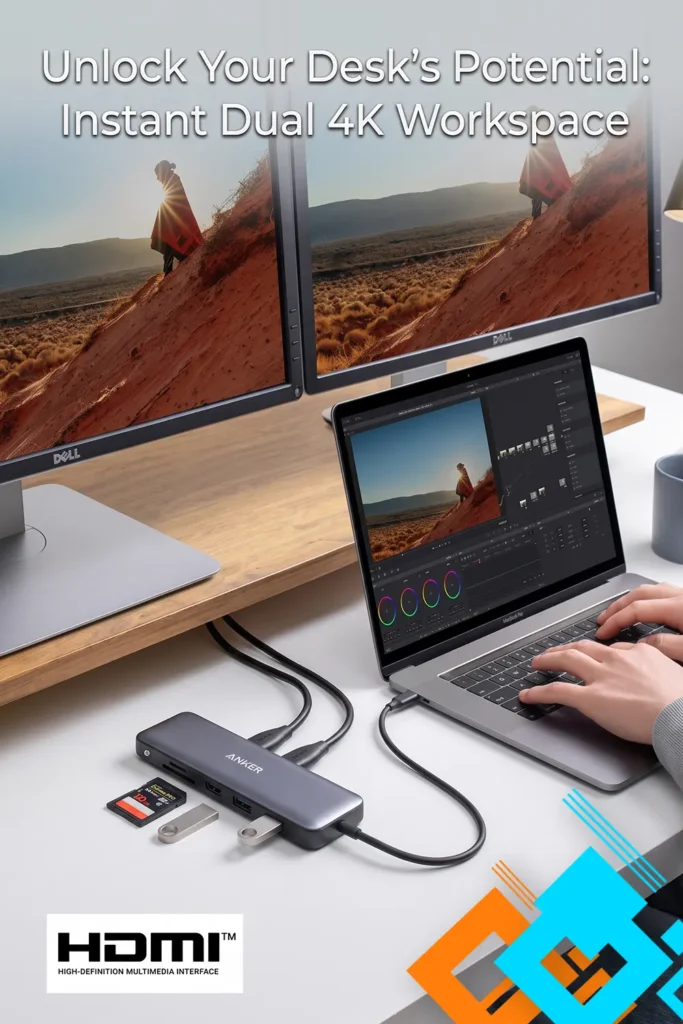
It makes the most financial sense for someone who will use several of its connections regularly. If you only need HDMI once in a while, a simpler adapter may be more sensible. But if you routinely connect a monitor, wired network, USB accessories, and a charger, the broader port selection has clear practical value.
Do not judge it solely by the number of ports. Check the exact needs of your laptop, monitor, accessories, and charger first. Prices and availability change, so confirm the current listing details at checkout rather than assuming a particular price point.
Final Verdict
The Anker 8-in-1 USB-C Hub is a sensible, compact solution for turning a compatible USB-C laptop into a more functional one-monitor workstation. Its strongest combination is straightforward: HDMI output, USB expansion, Ethernet, card readers, and Power Delivery pass-through in a format that does not take over your desk.
Its biggest limitation is equally clear: this is not the right choice for people building a serious multi-monitor or high-bandwidth workstation. For a laptop docking station home office setup centered on one display and everyday accessories, though, it addresses the cable and port problem without unnecessary bulk.
If you struggle with reconnecting a monitor, charger, keyboard, mouse, and network cable every time you sit down to work, this is the kind of compact hub worth a closer look.

The author of RigRamp.com has been managing and developing the website since 2015, with a strong background in online marketing and affiliate programs across various marketplaces. With a passion for technology, the author enjoys exploring the latest tech products, discovering useful digital tools, and following trends in the online industry.
