
Running out of space on your laptop is a common headache—photos pile up, projects grow, and suddenly you’re deleting files just to install an update. A portable hard drive can solve that problem by giving you extra room without opening your computer or paying for cloud subscriptions. This review breaks down what the Seagate 2TB Portable Hard Drive actually offers, who it’s likely to help, and where it might fall short so you can decide if it fits your setup.

This article may contain affiliate links to Amazon and AliExpress. If you purchase through one of these links, I may earn a commission at no extra cost to you.
Product overview and buying context
Common problems and the product’s solution
- Limited internal storage: Many laptops ship with 256GB or 512GB drives, which fill up quickly with media files and applications. A 2TB external drive adds substantial capacity without replacing your internal drive.
- No easy backup routine: Without a dedicated backup drive, important files often live in only one place. This drive’s plug-and-play design makes it simple to drag-and-drop copies of your work or photos.
- Need for portability: Desktop users or travelers may need to move large files between locations. A compact, bus-powered drive eliminates the need for a separate power adapter.
Product overview


The Seagate Portable 2TB external hard drive (model STGX2000400) is a compact, mechanical hard drive designed to expand storage for PCs, Macs, and compatible gaming consoles. It connects via a single USB 3.0 cable and draws power directly from that connection, so there’s no wall adapter. The drive is formatted for Windows out of the box but can be reformatted for macOS if needed.
Key features that matter
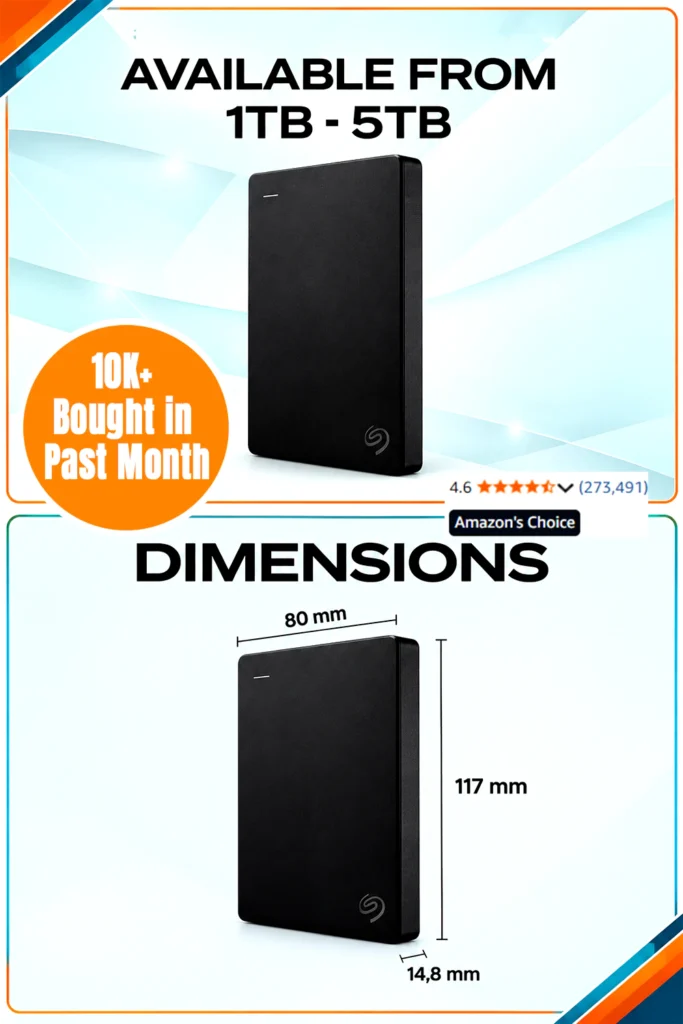

- 2TB capacity: Provides room for thousands of photos, dozens of HD movies, or multiple project folders. Note that actual usable space will be slightly less after formatting—typically around 1.8TB.
- USB 3.0 interface: Supports transfer speeds up to 5 Gbps when connected to a SuperSpeed USB 3.0 port. It remains backward compatible with USB 2.0, though at slower speeds.
- Plug-and-play setup: Recognized automatically by Windows 7, 8, and 10. Mac users can use it immediately for file storage but may need to reformat for Time Machine backups.
- Bus-powered design: No external power supply is required, which simplifies travel and reduces cable clutter.
- Compact dimensions: At roughly 4.6 by 3.15 by 0.58 inches and weighing about 0.42 pounds, it slips easily into a laptop bag or backpack.
Design, materials, and build
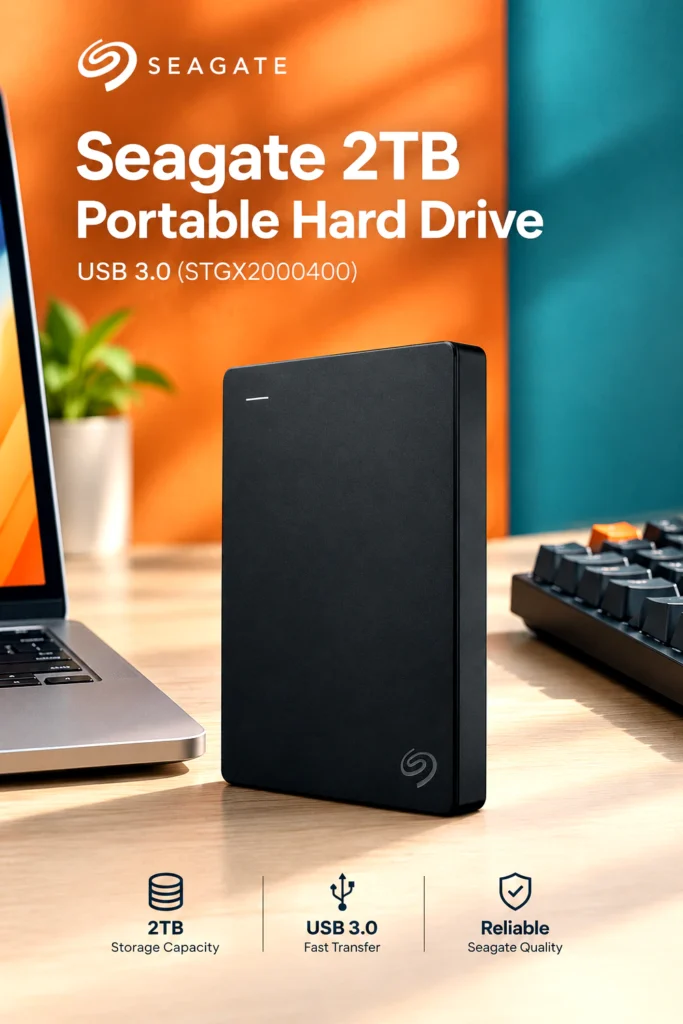
The drive uses a slim plastic enclosure with a matte black finish. Its small footprint and light weight make it genuinely portable. However, the casing is not ruggedized—there’s no official shock, water, or dust resistance. For everyday office or home use, the build is adequate, but it’s not designed for rough handling or frequent drops.
Real-world use
This drive works well for:
- Home backups: Store copies of family photos, documents, or school projects.
- Work-from-home setups: Keep large design files, video drafts, or archives off your main drive.
- Student use: Carry assignments, research data, or media libraries between dorms and classrooms.
- Gaming storage: Expand storage on compatible consoles like PlayStation or Xbox for game libraries.
- Shared household use: A central spot for media files that multiple family members can access by plugging into a shared computer.
Because it relies on a traditional spinning hard disk, it’s best suited for storage and backup rather than high-performance tasks like running applications or editing large video files directly from the drive.
Buying decision

How it compares with typical alternatives
Compared to external SSDs, this Seagate drive offers more capacity per dollar but slower transfer speeds and less durability against drops. It’s a better fit for users prioritizing storage volume over speed. Against larger desktop external drives, it sacrifices some capacity options but gains significant portability and simpler setup since it doesn’t need a power outlet.
Pros and cons
Pros
- Large 2TB capacity in a compact, lightweight design
- Simple plug-and-play setup for Windows
- No external power adapter required
- USB 3.0 speeds for everyday file transfers
- Compatible with PC, Mac, and select gaming consoles
Cons
- Slower write speeds compared to SSDs
- Plastic casing offers limited drop protection
- Included USB cable is relatively short (about 18 inches)
- Mac users may need to reformat for full Time Machine support
- No USB-C cable included, which may require an adapter for newer laptops
Who should buy it
This drive makes sense if you:
- Need affordable, high-capacity storage for backups or media libraries
- Primarily use Windows and want a straightforward setup
- Value portability without carrying a power adapter
- Don’t require the fastest possible transfer speeds
Who may want something else
Consider other options if you:
- Regularly edit large video files or run software directly from the drive (an external SSD would perform better)
- Need rugged, travel-ready storage with drop or water resistance
- Use multiple USB-C–only devices and don’t want to carry adapters
- Require more than 2TB in a single portable unit
Buying considerations
- Available ports: Ensure your computer has a USB-A port or that you have a reliable USB-C to USB-A adapter.
- Dimensions and weight: At under half a pound and smaller than a passport, it’s easy to carry but still contains moving parts that can be damaged by drops.
- Compatibility: Works out of the box with Windows. Mac users should confirm whether they’re comfortable reformatting the drive if they plan to use Time Machine.
- Cable length: The included cable is functional but may be short for desktops with rear-mounted USB ports.
- Budget: Pricing fluctuates based on capacity and promotions. Check the current listing for the latest price, offers, and availability.
Is it worth the price?
For buyers focused on maximizing storage per dollar, the Seagate Portable 2TB offers solid value. It’s not the fastest option, but it delivers reliable capacity for backups, archives, and media libraries. If your priority is speed or ruggedness, you may prefer a more expensive SSD. Always verify current pricing and any bundled offers before purchasing, as deals and availability can change.
Useful pre-purchase questions
Will it fit my setup?
The drive works with any computer that has a standard USB-A port. If your laptop only has USB-C, you’ll need an adapter. Confirm your operating system compatibility—Windows is supported immediately, while macOS may require reformatting for certain backup features.
Is it suitable for frequent use?
The drive is designed for regular backup and file storage tasks. However, because it uses a mechanical hard disk, it’s more vulnerable to physical shock than an SSD. Handle it carefully, especially when it’s powered on, and avoid moving it during active file transfers.
Final verdict
The Seagate 2TB Portable Hard Drive delivers straightforward, high-capacity storage in a compact, no-fuss design. Its main strengths are its 2TB capacity, simple plug-and-play setup for Windows, and portability without a power adapter. The most important limitation is its mechanical nature—slower speeds and less durability compared to SSDs. It’s a sensible choice for home backups, media archives, and general file storage, but users who need speed, ruggedness, or USB-C native support may want to explore other options.
If you’re dealing with a full laptop drive and need a simple way to store backups or media files, this design may be worth a closer look. Check the current listing for the latest specifications, price, and customer reviews before deciding.

The author of RigRamp.com has been managing and developing the website since 2015, with a strong background in online marketing and affiliate programs across various marketplaces. With a passion for technology, the author enjoys exploring the latest tech products, discovering useful digital tools, and following trends in the online industry.
