
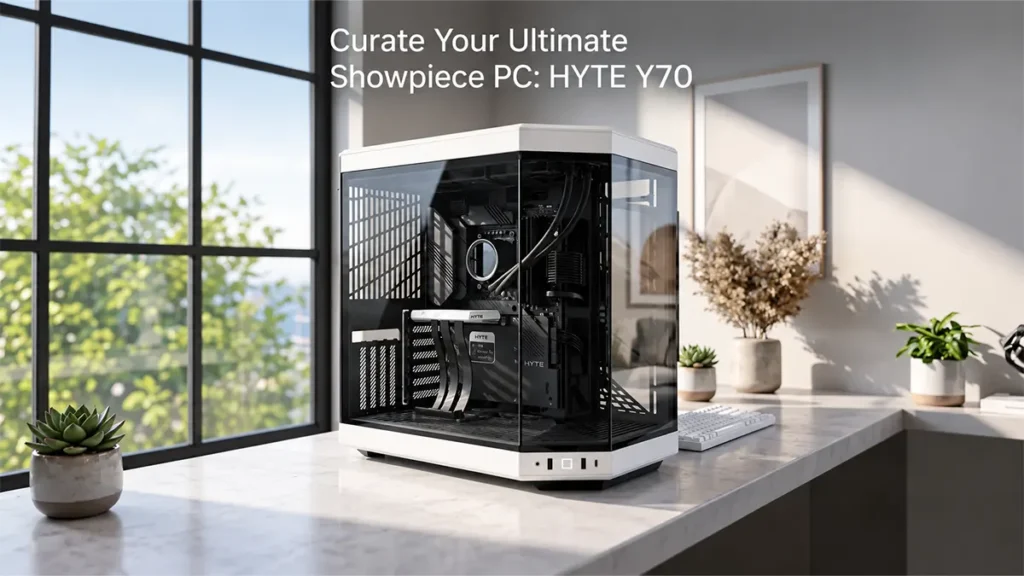
If you’ve ever spent hours picking out a CPU, GPU, and RGB fans only to shove them into a case that hides all of it behind a solid steel panel, you know the letdown. A lot of budget and mid-range cases are built for airflow or cost control first, appearance a distant third. For anyone building a showpiece gaming rig, that mismatch is the real problem: great parts, forgettable presentation. The Hyte Y70 in Black/White is aimed squarely at that gap, pairing a panoramic glass shell with the airflow and cable-management structure needed to actually keep the components inside it cool.
Disclosure: This article may contain Amazon affiliate links. As an Amazon Associate I earn from qualifying purchases, at no extra cost to you.
Common Buyer Problems This Case May Address
Builders shopping for a pc case white and black combo, or any gaming pc case aesthetic upgrade, tend to run into a handful of recurring frustrations. Here’s how the Y70’s listed features line up against them.
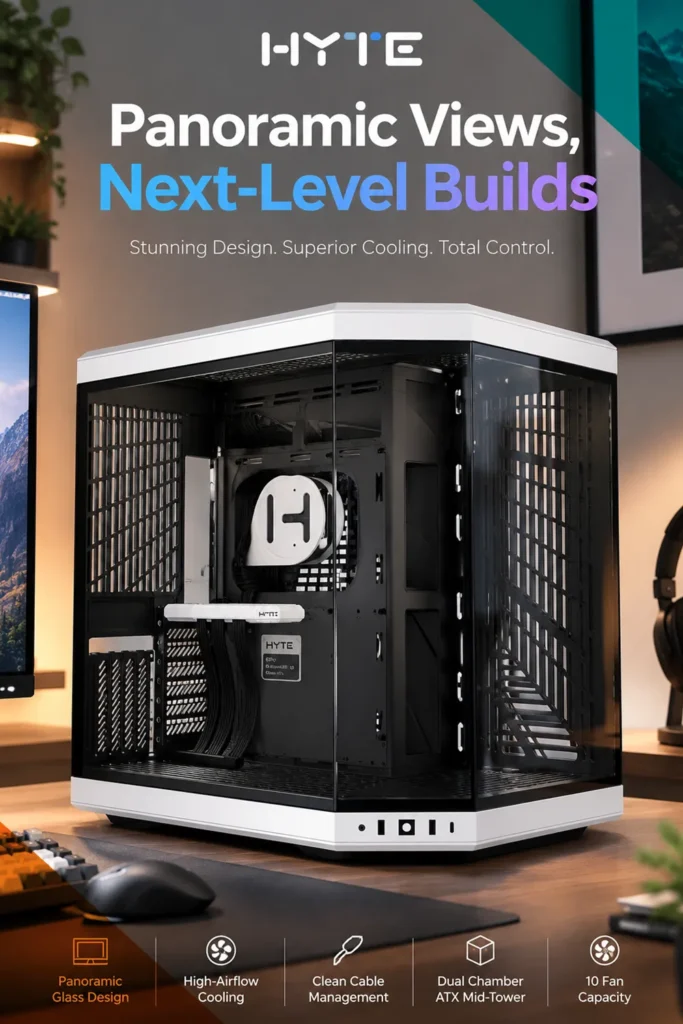
Problem: Standard cases show off only one side of the build, so half your hardware investment stays hidden. Feature: a three-piece panoramic tempered-glass design that wraps the front and side. Benefit: the motherboard, GPU, and cooling loop are visible from multiple angles instead of just one window. Who benefits: anyone building primarily to display the rig on a desk or in a room with visibility from more than one side.
Problem: Cable clutter behind the motherboard tray ruins an otherwise clean build. Feature: a dual-chamber layout with an L-shaped molded rubber grommet, dedicated routing channels, tie-down points, and reusable straps. Benefit: cables get a separated compartment to live in, which keeps the visible chamber tidy without requiring custom sleeving. Who benefits: builders who want a magazine-clean look without paying for custom cable kits.


Disclosure: This article may contain affiliate links. If you make a purchase through these links, I may earn a commission at no extra cost to you.
Problem: Modern GPUs are heavy and long, and mounting one horizontally can hide it behind other components. Feature: a vertical four-slot GPU mount with an included PCIe 4.0 x16 riser cable, listed with a maximum supported card length around 422mm. Benefit: the graphics card becomes a visual centerpiece instead of a hidden slab, and the riser cable is included rather than sold separately. Who benefits: anyone running a large flagship or near-flagship GPU who wants it front and center.
Problem: Dense builds with multiple radiators and fans tend to run hot in cramped cases. Feature: support for up to 10 fans and dual radiator zones, including a 360mm-class radiator up top and another on the side panel. Benefit: enough airflow and liquid-cooling headroom to handle a high-wattage CPU/GPU combo. Who benefits: builders running higher-end components that generate real heat, not just a basic office PC.
Problem: Swapping drives or doing maintenance in a tightly packed case is often a screwdriver-heavy chore. Feature: tool-less top and side panels along with floating storage sleds that eject from the rear. Benefit: faster access for cleaning, dusting, or adding storage down the road. Who benefits: anyone who expects to upgrade or service the build more than once.
Product Overview

The Hyte Y70 is a dual-chamber mid-tower case built around a glass-forward aesthetic and higher-than-average cooling capacity. Based on the listed specifications, it’s designed for builders who want their hardware visible rather than concealed, while still supporting serious airflow and radiator setups. It fits best in a dedicated gaming or streaming space where the case itself is part of the room’s look, less so in a tucked-away closet build where nobody will see the glass anyway.
Key Features Worth Knowing
Dual-chamber construction: The main chamber holds the motherboard, GPU, and visible components, while a second chamber behind it houses the power supply and the bulk of the cabling. This matters because it’s the structural reason the front of the case can stay clean-looking. Builders benefit from not having to master intricate cable routing to get a tidy result. The trade-off is a larger overall footprint, since the case needs to house two separate compartments rather than one.
Panoramic tempered glass: Multiple glass panels form the front and side viewing area. This matters for anyone treating the PC as a display piece, and it benefits people who’ve invested in visually distinctive components like ARGB fans or a patterned motherboard. The limitation is that glass adds weight and requires more careful handling during moves than a mesh or solid steel panel would.
Vertical GPU mount with included riser cable: The listing indicates support for a four-slot vertical GPU orientation along with a PCIe 4.0 x16 riser cable in the box. This matters because vertical GPU mounts often require buying a separate, sometimes expensive, riser cable — having one included is a real cost and convenience benefit. Buyers with unusually thick or oversized triple-fan GPUs should double-check clearance against the case’s listed maximum card dimensions before ordering, since vertical mounting can be tighter than horizontal in some cases.

High fan and radiator capacity: Listed support for up to 10 fans and multiple radiator zones, including 360mm-class options, benefits anyone running a custom loop or planning to fill the case with airflow fans over time. The limitation is that filling out that capacity costs extra — fans, radiators, and tubing are not necessarily included, so the “10 fan capacity” describes what the case can hold, not what it ships with.
Tool-less access and ejectable storage sleds: This benefits anyone who anticipates doing maintenance, and the main limitation is that tool-less designs sometimes trade off a bit of rigidity or premium feel compared to fully screwed-down panels, though I could not verify Hyte’s specific panel-attachment mechanism firsthand.
Realistic Use Cases
Based on the listed specifications, the Y70 looks well suited to a high-airflow gaming build, a streaming setup where the PC sits in view of a camera, or a showcase rig built around a liquid-cooling loop. It’s less obviously suited to a compact desk setup where floor or desk space is limited, since a dual-chamber ATX mid-tower is a genuinely large case by mid-tower standards. Builders working with a small-form-factor motherboard or a space-constrained desk should weigh whether the size fits before committing.
Buyer Questions to Consider
Will my motherboard fit? The case is built around ATX form factor support, so standard ATX, micro-ATX, and mini-ITX boards should fit the mounting standoffs; buyers with an E-ATX board should confirm exact compatibility on the listing before ordering, since case-to-case variation exists even within the same product line.
Will my GPU fit? The listing points to a maximum supported card length in the low-400mm range. Measure your specific GPU model, including any factory-installed backplate, before assuming it clears.

Do I need to buy extra fans? Likely yes for a fully built-out loop, since the case’s fan capacity describes maximum slots, not included hardware. Confirm exactly how many fans ship in the box before assuming a “10 fan capacity” case arrives with 10 fans.
Is a power supply included? Nothing in the listed specifications suggests a bundled PSU. Budget for that separately, and confirm the case’s maximum supported PSU length against your chosen unit.
Is assembly required? Retailer information for this case generally indicates no special assembly beyond a standard PC build, but buyers should confirm this directly on the Amazon listing since exact language can vary by seller.
How It Stacks Up

Within the aesthetic-focused case category, the Y70’s combination of glass paneling, dual-chamber cable management, and an included PCIe riser cable is a stronger-than-typical feature bundle, since many rival cases charge extra for vertical GPU riser kits. Where alternatives may offer more: builders who prioritize maximum airflow over looks may find mesh-front cases with fewer glass panels move more air per dollar, and those tight on desk space may find smaller mid-towers or SFF cases a better physical fit. The trade-off here is largely size and glass fragility in exchange for display quality and included accessories.
Value Assessment
Pricing and availability on Amazon can shift, so treat any number you see at checkout as current rather than fixed. Given the included riser cable, dual-chamber design, and multi-panel glass, the feature set is substantial for a mid-tower case, which tends to place it above entry-level pricing but in line with other glass-forward, high-airflow cases in its class. It’s likely to feel like good value for builders who would otherwise be buying a separate riser cable and cable-management accessories anyway. It’s less likely to feel like good value for someone who just wants the cheapest enclosure that fits their parts.
Pros and Cons
Pros: multi-panel glass display design, dual-chamber layout for hidden cable routing, vertical GPU mount with included PCIe 4.0 riser cable, high fan and radiator capacity, tool-less panel access.

Cons: larger footprint than a standard mid-tower due to the second chamber, glass panels add weight and require careful handling, stated fan capacity does not mean fans are included, buyers with E-ATX boards or oversized GPUs should double-check clearance.
Who Should Buy It, and Who Shouldn’t
This case makes sense for builders who want their hardware visible, plan a fan- or radiator-heavy cooling setup, and have the desk or floor space for a full-size dual-chamber tower. It’s a weaker fit for anyone building a compact or budget-first system, or anyone who simply doesn’t care about a glass display and would rather save money on a solid-panel case. Before buying, confirm your motherboard size, GPU length and thickness, and PSU length against the listed maximums, and check the current price and color availability on the product page.
If a display-worthy build with real cooling headroom is the goal, this is worth a closer look at the current listing to confirm pricing and color options.
Final Verdict
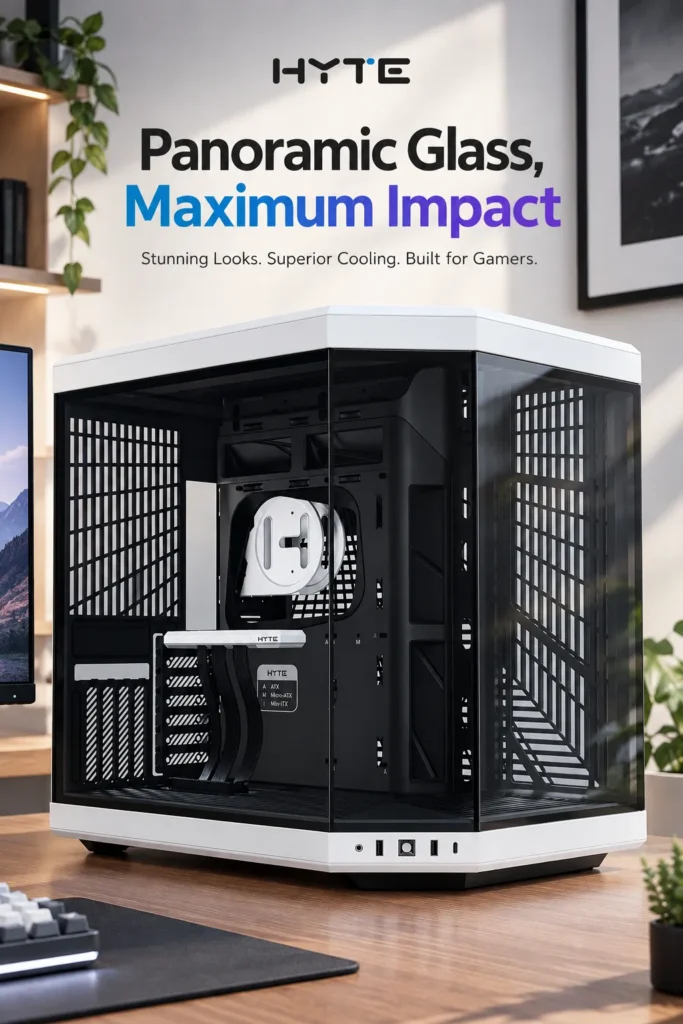
Based on the available specifications, the Hyte Y70 appears to do best at combining a glass-forward, multi-angle display case with genuinely useful cooling capacity and an included vertical GPU riser cable — a combination that often costs more piecemeal. Its most notable trade-off is size and weight, since the dual-chamber design and glass paneling make it larger and heavier than a standard mid-tower. It suits builders prioritizing visible hardware and airflow headroom, and it’s one to skip if desk space is tight or aesthetics aren’t a priority. For the right buyer — someone building a showcase gaming pc case aesthetic and running a fan- or radiator-heavy setup — it looks like a reasonably strong value, provided the current price on the listing holds up against comparable glass-panel cases at checkout.

The author of RigRamp.com has been managing and developing the website since 2015, with a strong background in online marketing and affiliate programs across various marketplaces. With a passion for technology, the author enjoys exploring the latest tech products, discovering useful digital tools, and following trends in the online industry.
