
Building a modern gaming PC often means balancing three things that do not always work well together: airflow, component clearance, and a clean-looking interior. A case can have plenty of room but restrict fan placement, or provide excellent cooling potential while making cable management unnecessarily difficult.

The CORSAIR FRAME 4000D RS ARGB takes a different approach. Instead of treating the case as a fixed enclosure, it uses a modular design with adjustable fan mounting, support for reverse-connector motherboards, multiple radiator positions, and a built-in GPU anti-sag arm. The result is a mid-tower PC case designed for builders who want more flexibility than a conventional ATX chassis typically provides.
Based on the listed specifications, it is particularly interesting for gaming PCs, high-end component builds, RGB systems, and buyers who expect to upgrade or reconfigure their cooling setup over time.
Disclosure: This article may contain Amazon affiliate links. As an Amazon Associate I earn from qualifying purchases, at no extra cost to you.
Why the CORSAIR FRAME 4000D RS ARGB Makes Sense for Flexible PC Builds
A few practical problems stand out when comparing mid-tower cases, and this model addresses most of them directly.
Problem: Fixed fan locations can make airflow harder to optimize.
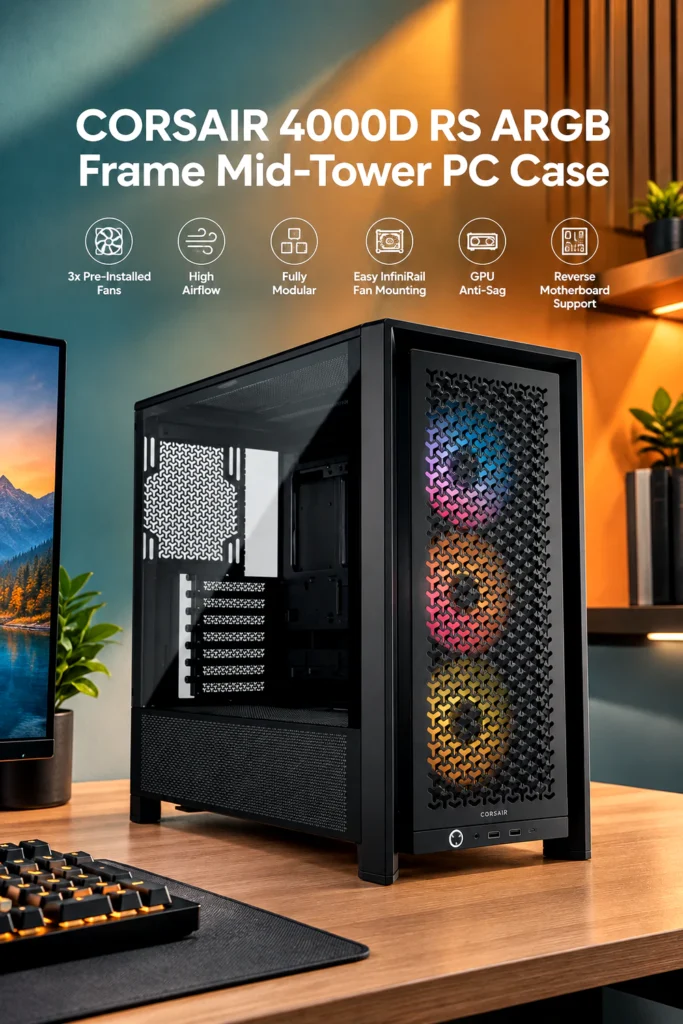
The InfiniRail fan mounting system uses adjustable steel rails instead of relying entirely on fixed mounting holes. Fans can be positioned along the rail, giving builders more control over where intake airflow is directed. This is especially useful when component placement makes conventional fan positions less ideal.

Problem: Large graphics cards can create clearance and support concerns.
The case supports graphics cards up to 430mm in length according to CORSAIR’s specifications and includes a GPU anti-sag stabilization arm. That combination should appeal to builders using large modern GPUs who want additional physical support.
Problem: Liquid cooling can require a lot of internal space.
The FRAME 4000D RS ARGB supports radiators up to 360mm and can accommodate dual 360mm radiators. There are mounting locations at the front, top, and side, although the exact combination of components and radiators still needs to be considered during a build.
Problem: Traditional motherboards can leave visible cables across the main chamber.
This case supports reverse-connector motherboard designs from ASUS BTF, MSI Project Zero, and GIGABYTE Project Stealth. With compatible hardware, the connectors are moved behind the motherboard, potentially creating a much cleaner visible interior.
Problem: A high-end case can become expensive once you add basic cooling hardware.
This particular configuration includes three RS120 ARGB PWM fans. That means buyers do not have to start with an entirely empty fan configuration.
What Is the CORSAIR 4000D RS ARGB?
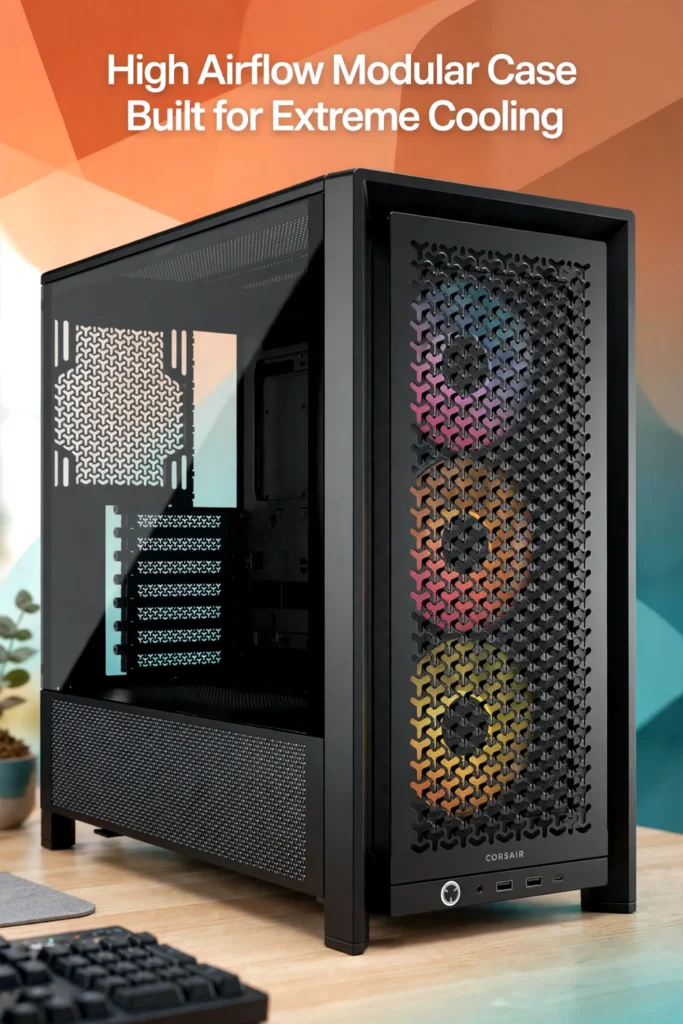
The CORSAIR FRAME 4000D RS ARGB is a black mid-tower PC case built around ATX-class systems and customizable cooling configurations.
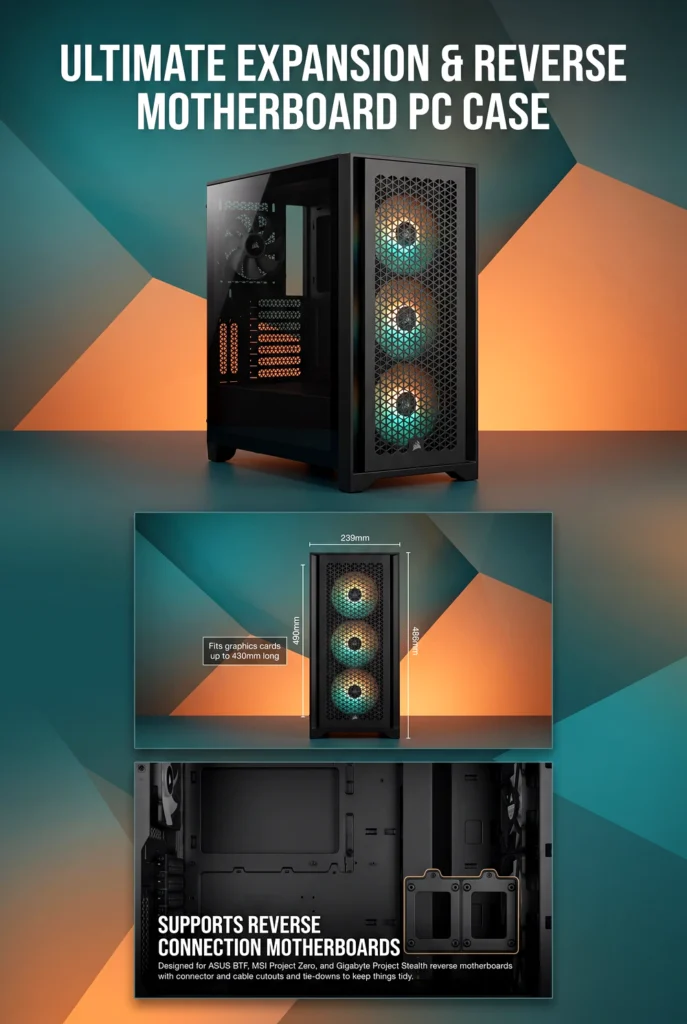
Its listed dimensions are 486mm high, 490mm long, and 239mm wide, with a listed weight of 10.38kg. It supports Mini-ITX, Micro-ATX, ATX, and E-ATX motherboards up to 305mm x 277mm.
Construction is listed as steel, tempered glass, 3D-Y airflow steel, and plastic. The left side uses tempered glass, while the right side is steel.
That makes it a fairly substantial mid-tower rather than a compact chassis. Buyers with limited desk or floor space should check the measurements before ordering.
The design is aimed primarily at gaming and enthusiast PC builds where cooling flexibility and component visibility matter.
Key Features That Matter
InfiniRail Fan Mounting System
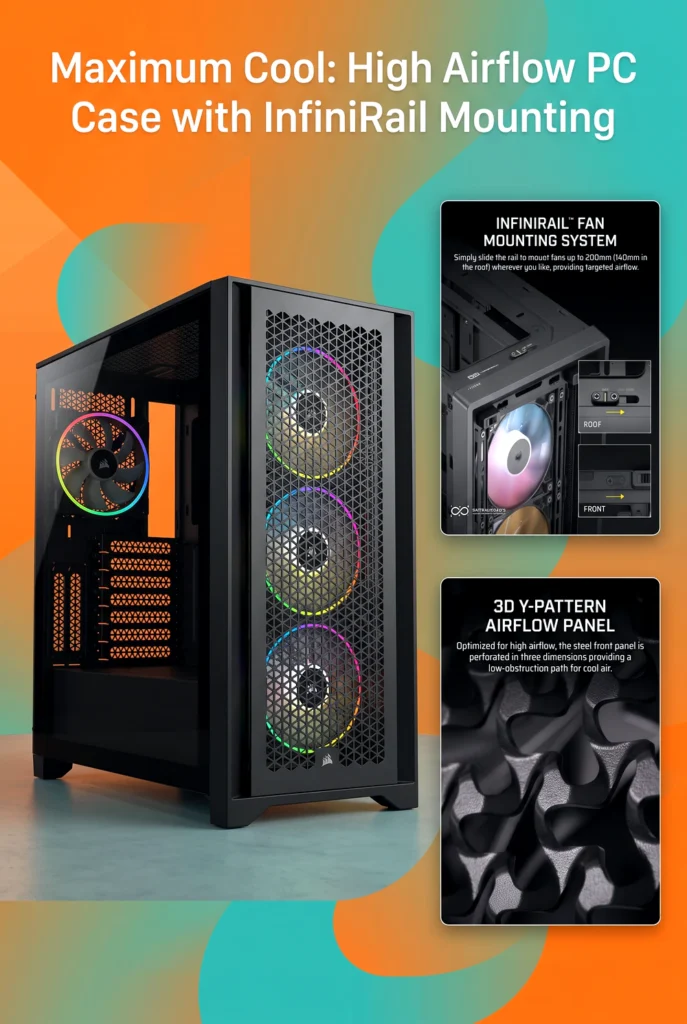
The InfiniRail system is arguably the most distinctive feature of this mid-tower PC case.
Instead of restricting fan placement to conventional fixed holes, the steel rail allows fans to slide into different positions. CORSAIR specifies support for fans up to 200mm at the front and up to 140mm on the roof.
The case supports up to 12 120mm fans across its various mounting locations, although the maximum configuration depends on the fan sizes and positions being used.
For builders who like to fine-tune airflow around a GPU, radiator, or other components, this is more flexible than a conventional mounting layout.
The trade-off is that buyers who simply want a basic PC with a few standard fans may not get much practical benefit from this extra adjustability.
Three Included RS120 ARGB Fans
The RS ARGB version includes three RS120 ARGB PWM fans. They are daisy-chainable and connect through a 4-pin PWM connector and a 5V ARGB connection on a compatible motherboard.
That is a useful inclusion because three pre-installed fans give a new build a reasonable starting point without requiring an immediate additional fan purchase.
The fans also contribute to the case’s RGB-focused appearance, although buyers should make sure their motherboard provides the appropriate ARGB connection.
High-Airflow Front Panel
The 3D Y-pattern steel front panel is designed to provide less restrictive airflow than the previous 4000D Airflow design. CORSAIR lists up to a 12% airflow improvement compared with that predecessor.
That percentage should not be interpreted as a universal 12% improvement in every PC configuration. It is a manufacturer comparison against the previous front-panel design.
Still, the open, airflow-oriented design is appropriate for gaming systems using components that generate substantial heat.
Dual 360mm Radiator Support
For buyers considering liquid cooling, the case supports 240mm, 280mm, and 360mm radiators at the front, top, and side, with 120mm and 140mm radiator support at the rear.
CORSAIR specifically lists support for dual 360mm radiators.
This gives the chassis considerably more cooling flexibility than buyers may need for an ordinary gaming PC. It becomes more relevant for enthusiast builds with powerful CPUs, high-end GPUs, or elaborate liquid-cooling configurations.
The important limitation is that radiator support does not mean every radiator-and-component combination will fit simultaneously. Buyers planning a complex cooling layout should check the manufacturer’s clearance information for their exact hardware.
Reverse-Connector Motherboard Compatibility

This is another feature that could make the case particularly appealing to builders who care about aesthetics.
The FRAME 4000D RS ARGB supports compatible reverse-connector motherboards from ASUS, MSI, and GIGABYTE. With the appropriate motherboard, major connections can be routed behind the board rather than being visible on the front side.
Standard motherboards are also supported, so buyers do not need a reverse-connector platform to use the case.
The key limitation is that the cleanest cable-free appearance depends on buying compatible reverse-connector hardware. This case alone cannot eliminate visible cables from a conventional motherboard.
GPU Anti-Sag Stabilization Arm
Large graphics cards can place considerable visual and physical emphasis on the PCIe slot. The included GPU anti-sag stabilization arm provides an additional support point.
CORSAIR lists maximum GPU length at 430mm, making the chassis suitable for many large graphics cards based on the listed clearance.
However, GPU length is only one part of compatibility. Buyers should also check GPU thickness, power-connector clearance, and the specific cable arrangement required by their graphics card.
Compatibility and Build Capacity
The FRAME 4000D RS ARGB supports:
- Mini-ITX, Micro-ATX, ATX, and E-ATX motherboards up to 305mm x 277mm
- GPUs up to 430mm
- CPU coolers up to 170mm tall
- ATX power supplies up to 220mm long
- Two internal 3.5-inch drive bays
- Four internal 2.5-inch drive bays
- Seven horizontal or three vertical expansion slots
- Vertical GPU mounting, with a riser card sold separately
It also provides 37mm of cable-routing space behind the motherboard tray and includes dust filtration.
The front I/O includes one USB 3.2 Gen 2 Type-C port, two USB 3.2 Gen 1 Type-A ports, and a combination audio/microphone jack.
For most mainstream gaming systems, this is a generous feature set. The case is also large enough to make sense for ambitious component configurations without moving into full-tower territory.
Who Is This Mid-Tower PC Case Best For?
The strongest use case is a gaming or enthusiast PC where flexibility matters.
It makes particular sense for:
- Gamers using large modern graphics cards
- Builders planning a 240mm, 280mm, or 360mm liquid cooler
- Enthusiasts who want dual 360mm radiator capability
- RGB-focused builds
- Buyers interested in reverse-connector motherboards
- Builders who want adjustable fan positioning
- Users who expect to modify their cooling setup later
It is less compelling for someone building a simple office PC with modest hardware. In that situation, the modular cooling system and extensive radiator support may provide capabilities that never get used.
Likewise, buyers with very limited space should consider a smaller chassis rather than assuming every mid-tower will fit comfortably.
Questions to Check Before Buying
Will my motherboard fit?
Yes, the listed compatibility includes Mini-ITX, Micro-ATX, ATX, and E-ATX up to 305mm x 277mm.
Will a large GPU fit?
The listed maximum GPU length is 430mm. Check the specific card’s length, thickness, and power-cable requirements before ordering.
Can I use a large air CPU cooler?
The maximum listed CPU cooler height is 170mm.
Can I install a 360mm AIO?
Yes. The case supports 360mm radiators at the front, top, and side, and CORSAIR lists dual 360mm radiator support. A 420mm AIO is not supported.
Does it work with a normal motherboard?
Yes. Reverse-connector motherboard support is an additional capability, not a requirement.
Does it include fans?
Yes. This ARGB configuration includes three RS120 ARGB PWM fans.
Can I mount the GPU vertically?
Yes, but the required riser card is sold separately.
Is the case suitable for a compact desk?
It may be too large for some compact setups. Its listed dimensions are 486mm x 490mm x 239mm, so measuring the available space first is advisable.
Where It Stands in the Mid-Tower Category
The biggest strength of the FRAME 4000D RS ARGB is not one individual specification. It is the combination of flexibility, cooling support, component clearance, and modularity.
The adjustable InfiniRail system gives it more control over fan positioning than a basic chassis. Three included ARGB fans improve its starting configuration, while dual 360mm radiator support gives enthusiasts considerable room to expand.
The reverse-connector motherboard support is another meaningful advantage for builders who prioritize a clean showcase interior.
The trade-off is that some of these features may be unnecessary for a conventional PC build. Buyers paying for extensive cooling flexibility should actually plan to use it. A simpler case can make more sense for a modest system.
Value Assessment
At the time of checking, CORSAIR’s U.S. product page listed the black FRAME 4000D RS ARGB at $89.99, compared with a listed original price of $124.99. Prices and availability can change, so this should be treated only as the current reference point rather than a guaranteed purchase price.
At around that listed price, the combination of three included ARGB fans, adjustable fan mounting, dual 360mm radiator support, GPU anti-sag hardware, reverse-motherboard compatibility, tempered glass, and broad motherboard support makes the feature set appear strong for the intended buyer.
The value proposition is less obvious if you do not need advanced cooling or modularity. In that case, a simpler mid-tower PC case may provide everything you actually need for less money or with a more straightforward design.
Pros and Cons
Pros
- Fully modular case design
- Adjustable InfiniRail fan mounting system
- Three included RS120 ARGB PWM fans
- Support for up to dual 360mm radiators
- Up to 430mm GPU clearance
- 170mm CPU cooler clearance
- Supports standard and reverse-connector motherboards
- Includes GPU anti-sag stabilization arm
- Tempered-glass left side panel
- Supports vertical GPU mounting with an additional riser
- Broad Mini-ITX through E-ATX motherboard compatibility
Cons
- The relatively large mid-tower footprint may not suit compact spaces
- Some advanced features may be unnecessary for basic builds
- Vertical GPU mounting requires a separately purchased riser card
- Maximum component compatibility still depends on the exact combination of GPU, radiator, fans, motherboard, and cables
- Reverse-connector benefits require a compatible motherboard
Who Should Buy the CORSAIR FRAME 4000D RS ARGB?
Buy it if you want a flexible gaming-oriented mid-tower with substantial cooling potential, large GPU clearance, adjustable fan placement, and room to evolve your build.
It is especially attractive if you are planning a high-performance RGB system or considering a reverse-connector motherboard. The included three fans also make the starting configuration more complete than a bare case.
Consider another type of case if you are building a basic PC, have very limited space, or have no interest in customizing fan and radiator placement. You may be better served by a simpler chassis that focuses on basic airflow and component compatibility.
Before purchasing, verify your motherboard dimensions, GPU length and thickness, CPU cooler height, PSU length, radiator configuration, and the space available where you intend to place the PC.
Final Verdict
The CORSAIR FRAME 4000D RS ARGB appears to be a well-equipped mid-tower PC case for builders who value flexibility more than simplicity. Its strongest features are the adjustable InfiniRail fan system, broad cooling support, three included RS120 ARGB fans, generous GPU clearance, and compatibility with both conventional and reverse-connector motherboards.
The main trade-off is that this flexibility comes in a fairly substantial chassis, and not every buyer will need its enthusiast-oriented features.
For a performance gaming PC, RGB showcase build, or upgrade-friendly system where cooling configuration and clean cable management matter, the FRAME 4000D RS ARGB looks like a strong value at the listed price. For a basic PC or space-constrained setup, its extra capabilities may be more than you need.
If your current case is limiting airflow, fan placement, or GPU clearance, this is the type of upgrade worth considering—provided its dimensions and component clearances match your planned build.

The author of RigRamp.com has been managing and developing the website since 2015, with a strong background in online marketing and affiliate programs across various marketplaces. With a passion for technology, the author enjoys exploring the latest tech products, discovering useful digital tools, and following trends in the online industry.
