
Building a gaming PC is easier when the case gives you room to organize components, plan airflow, and create a clean-looking setup without boxing you into a fixed layout. The CORSAIR 4000D RS ARGB Frame Customizable Mid-Tower PC Case in black is designed for builders who want a modern chassis with customizable mounting options, pre-installed lighting-equipped fans, and a prominent view of their hardware.
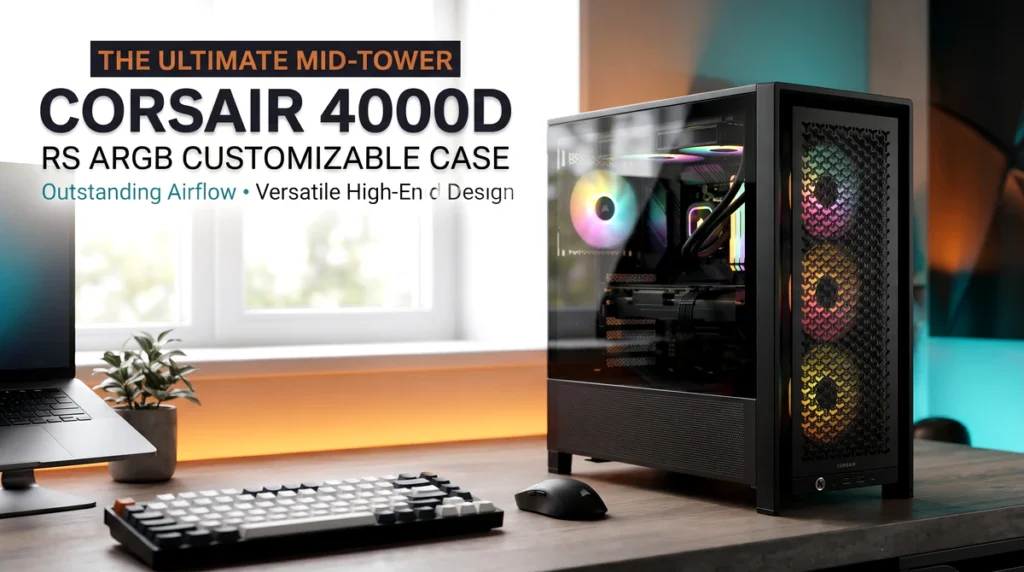

This review looks at what the case offers, where its customizable design may be useful, and what you should verify before committing to it. If you’re comparing options for a new gaming rig or planning a future upgrade, the goal is to help you decide whether the case corsair 4000d belongs on your shortlist.
Disclosure: This article may contain affiliate links to Amazon and AliExpress. If you purchase through these links, I may earn a commission at no extra cost to you. This relationship does not determine the recommendations in this review.
Product Overview and Buying Context for the Case CORSAIR 4000D
Common Problems and the Product’s Solution
A PC case needs to do more than hold a motherboard and graphics card. It also affects how you arrange cooling hardware, manage cables, and present the finished build.
Three common concerns deserve attention when choosing a chassis:
-
Limited customization: A fixed mounting layout can restrict how builders position fans and other cooling components. The 4000D RS ARGB Frame is marketed around customizable construction, which may offer more flexibility than a simpler fixed-layout case.
-
A cluttered-looking build: Visible cables and poorly arranged components can undermine an otherwise attractive setup. A case designed with customization in mind may give builders more opportunities to plan a tidy interior, although the final result still depends on the components and cable-management options available.
-
Starting from scratch with cooling: Buying fans separately can add to the cost and complicate component selection. This model includes three ARGB fans, according to the product’s stated configuration, giving builders a starting point for a coordinated lighting setup.
These features address practical considerations, but they don’t eliminate the need to check component clearances, cooling requirements, and the case’s complete specifications.
Product Overview
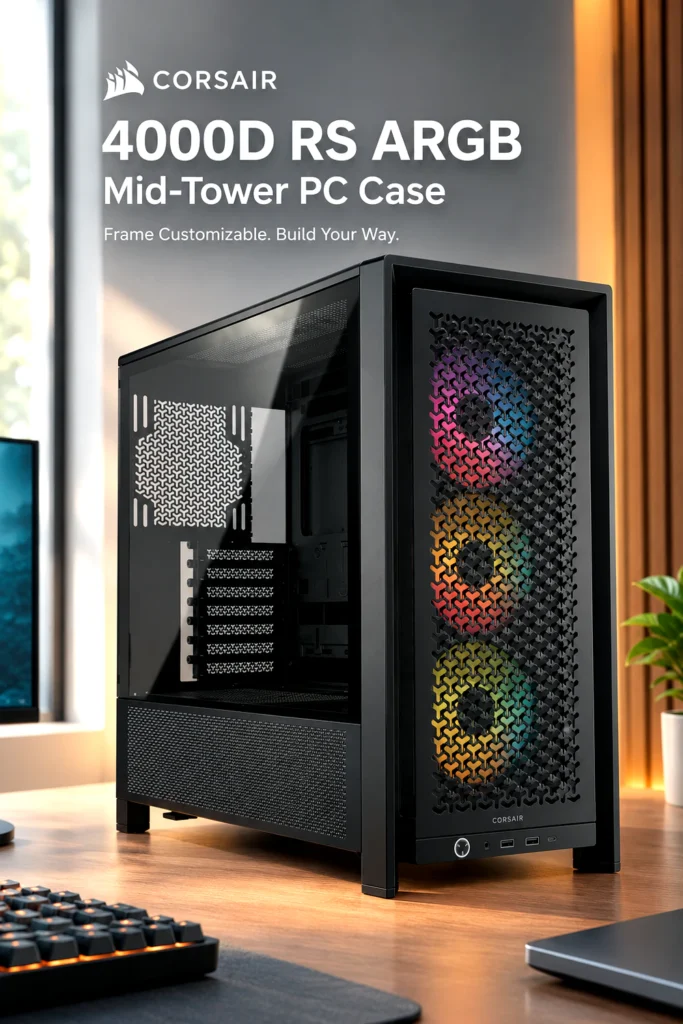
The CORSAIR 4000D RS ARGB Frame is a black, customizable mid-tower PC case intended for desktop computer builds. Its combination of a modular design, pre-installed fans, and a contemporary presentation makes it relevant to gaming PCs, performance-oriented desktops, and builds where appearance matters alongside function.
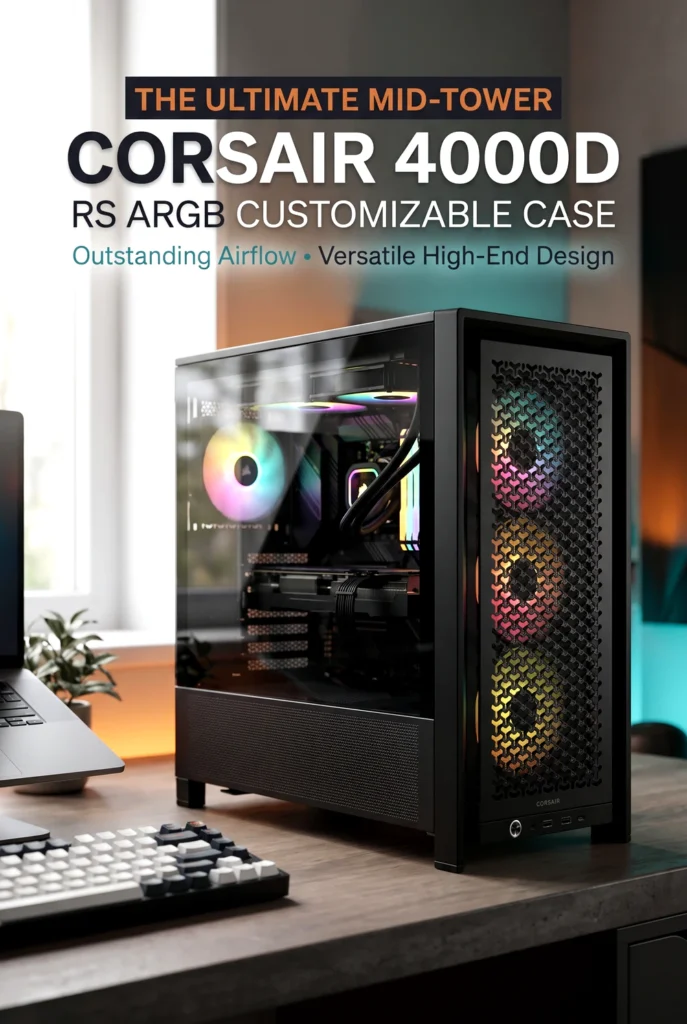
The key selling point is the balance between a familiar mid-tower format and a design that emphasizes customization. Rather than choosing a case solely for its exterior, buyers can consider how its mounting arrangements and included cooling hardware fit their planned configuration.
The exact motherboard support, overall dimensions, graphics card clearance, radiator compatibility, and other fitment details should be confirmed for this specific variant before purchase. A mid-tower label alone doesn’t guarantee that every large component will fit.
Key Features That Matter
Customizable Frame Design
Customization can be useful when you’re planning a build around particular cooling components or want more freedom over the interior arrangement. It may also appeal to enthusiasts who expect to modify their PC over time instead of replacing the entire chassis whenever their requirements change.
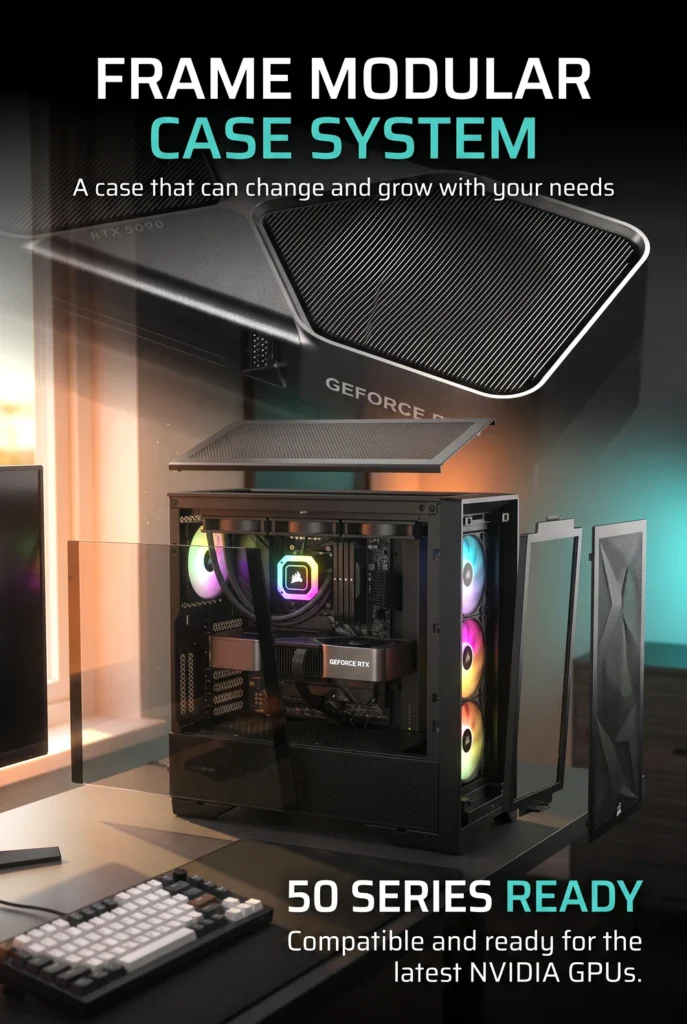
The trade-off is that a more adjustable design can introduce additional decisions during planning and assembly. Check which components can actually be repositioned or removed, and determine whether the available configurations support your intended build.
Three Pre-Installed ARGB Fans
The listed configuration includes three pre-installed ARGB fans. ARGB lighting allows compatible components to display configurable lighting effects, making it easier to create a coordinated appearance than starting with an entirely unlit fan setup.
For a gaming PC with a visible interior, this can reduce the number of additional lighting-equipped fans you need to purchase initially. However, three included fans don’t automatically establish how well the case will cool every possible configuration. Results depend on fan placement, component heat output, airflow paths, and the rest of the cooling setup.
Before buying extra fans, check their mounting positions, the included fan specifications, and any controller or lighting-connection requirements.
A Black Finish and Modern Presentation
The black finish gives the chassis a versatile look that can work with understated workstations as well as RGB-heavy gaming builds. It can suit dark desks, black peripherals, and components with contrasting lighting.
Appearance is subjective, though. Builders who prefer a white case or a more discreet, fully enclosed design may find another style more suitable. The finish alone also doesn’t establish scratch resistance or long-term durability.
Design, Materials, and Build
The product’s customizable frame concept is intended to make the chassis more adaptable than a design built around a single fixed arrangement. That flexibility could be useful for enthusiasts who enjoy planning their hardware layout or upgrading components gradually.

Still, customization should not be confused with verified construction quality. The available product information here does not establish every material specification, the chassis’s weight, or its long-term durability. Those details matter if the case will be moved frequently or placed in a workspace where sturdiness is a priority.
It’s also sensible to inspect the panel arrangement, access points, and included mounting hardware in the current listing before ordering. Clear product photographs can help you understand the layout, but they aren’t a substitute for complete specifications.
Real-World Use
For a home gaming setup, the included ARGB fans and customizable design provide a useful starting point for a visually coordinated PC. A work-from-home desktop could benefit from the same flexibility, particularly if you want a system that looks appropriate in a shared office rather than like an oversized gaming display.
Builders planning frequent upgrades may appreciate a chassis that offers configuration choices. On the other hand, anyone working with a compact desk should measure the available space before choosing a mid-tower. Confirm the case’s actual dimensions, the room required for cables, and access to the side panels.
The case is a foundation for the rest of the system, not a guarantee of quieter operation or better temperatures. Those outcomes depend on the complete component selection and build configuration.
Buying Decision: Is the CORSAIR 4000D RS ARGB Worth It?
How It Compares With Typical Alternatives
The main reason to consider this case over a basic mid-tower is its emphasis on customization. The InfiniRail fan-mounting system allows adjustments to compatible fan positions, while the modular design offers more opportunities to adapt the chassis as your build evolves.
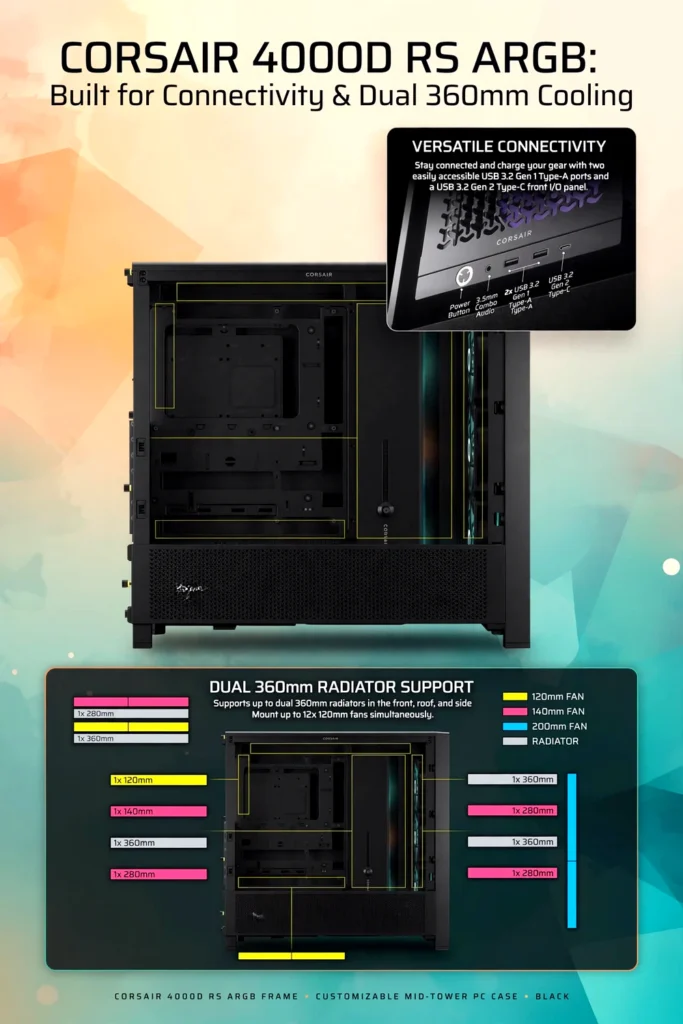
It also supports radiator configurations up to 360 mm at the front, roof, and side mounting positions. CORSAIR lists support for two 360 mm radiators simultaneously, which may appeal to builders planning more ambitious liquid-cooling setups.
A simpler case may be sufficient if you want to install a motherboard, graphics card, and a straightforward air-cooling setup without changing much. The 4000D RS ARGB makes more sense when you expect to use its flexibility. Extra customization is less valuable if you never intend to change the layout.
Pros and Cons
Pros
-
Three pre-installed RS120 ARGB fans.
-
Adjustable InfiniRail fan-mounting system.
-
Support for two 360 mm radiators simultaneously.
-
Compatible with Mini-ITX, Micro-ATX, ATX, and supported E-ATX motherboards.
-
Includes a GPU anti-sag stabilization arm.
-
Front USB-C connectivity and two USB-A ports.
-
Supports compatible reverse-connector motherboards.
Cons
-
Its mid-tower footprint may be larger than some desks or compact workspaces can comfortably accommodate.
-
Builders who prefer a basic, fixed layout may not benefit much from its customization features.
-
The included fans may not eliminate the need for additional cooling hardware, depending on the system.
-
A vertical GPU installation requires a separately sold riser card.
-
Component compatibility still needs to be checked carefully before purchase.
Who Should Buy It?
The case corsair 4000d is worth considering if you’re planning a gaming PC that combines a visible hardware layout with room to customize cooling and mounting arrangements.
It may suit:
-
PC enthusiasts who enjoy adjusting their builds over time.
-
Gamers planning a system with substantial cooling requirements.
-
Builders who want ARGB lighting without purchasing every fan separately.
-
Users considering compatible reverse-connector motherboards for a cleaner-looking interior.
-
Anyone who values flexible hardware placement more than a minimalist, no-frills chassis.
For a first-time builder, the included fans and established mid-tower format offer a useful starting point. However, beginners should still plan their component list carefully rather than assuming that every configuration will be straightforward.
Who May Want Something Else?
A smaller case may be preferable if desk space is limited or you want a compact system that’s easier to accommodate in a tight workspace.
Likewise, budget-focused builders who don’t need extensive radiator support, adjustable fan positioning, or a highly customizable interior may find a simpler chassis better suited to their needs.
If you rarely upgrade your PC and have no interest in changing its internal layout, paying for additional flexibility may not provide much practical value.
Buying Considerations
Before ordering, check the dimensions and clearances against your planned components. The published specifications for this model list the following:
| Specification | CORSAIR 4000D RS ARGB |
|---|---|
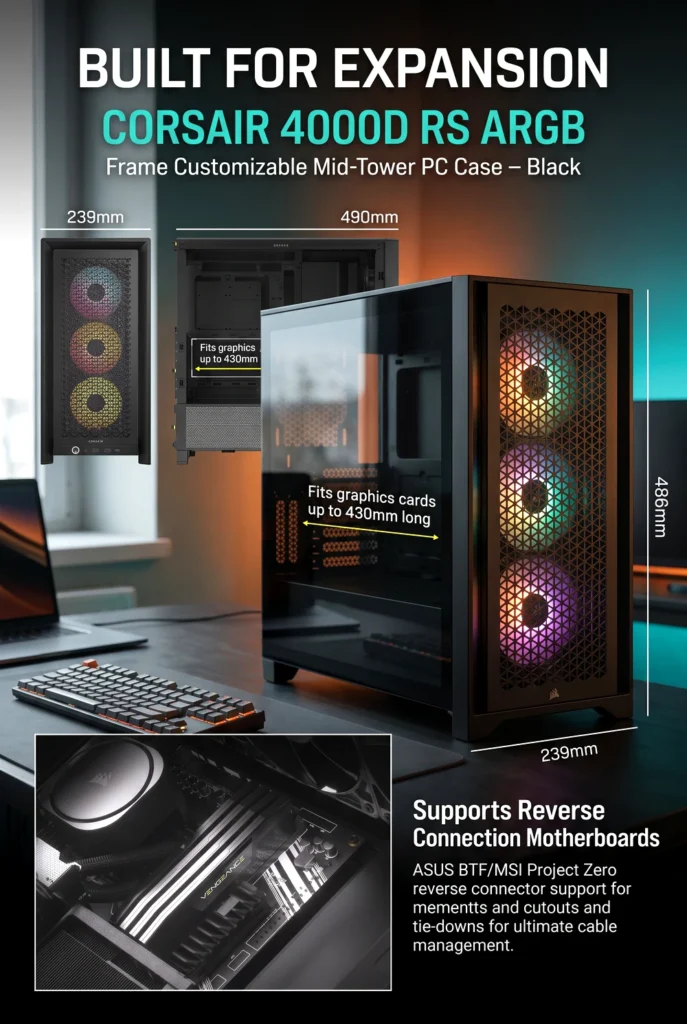
| Case dimensions (H × L × W) | 486 × 490 × 239 mm |
| Motherboard support | Mini-ITX, Micro-ATX, ATX, supported E-ATX |
| Maximum graphics card length | 430 mm |
| Maximum CPU cooler height | 170 mm |
| Maximum power supply length | 220 mm |
| Included fans | Three RS120 ARGB fans |
| Front connectivity | USB-C, 2 × USB-A, combined audio jack |
| Radiator support | Up to 360 mm at supported positions |
| Side panel | Tempered glass |
These specifications make it important to check your exact graphics card, CPU cooler, power supply, and radiator configuration. Radiator and fan placement can affect available clearance, so don’t rely on maximum dimensions in isolation.
Also confirm that your motherboard has the necessary headers for the front USB ports and ARGB connections. The included fans use PWM and a compatible 5V ARGB motherboard connection, so check your board’s available connectors before planning the lighting setup.
Pricing, shipping costs, taxes, offers, and availability can vary between the United States and European markets. Review the current listing for the exact black RS ARGB variant rather than assuming that specifications or included accessories are identical across the entire 4000D family.
Is It Worth the Price?
The value proposition comes down to how much you expect to use the case’s flexibility.
For someone building a gaming PC with multiple cooling components, customizable fan placement and three included ARGB fans could reduce the need for immediate additions. Support for reverse-connector motherboards and an included GPU support arm add further practical considerations for builders focused on a clean, organized interior.
On the other hand, a less expensive case may offer better value if your configuration is relatively simple. There is little reason to pay extra for mounting options or radiator capacity that your system won’t use.
The best comparison is the complete cost of your intended build, including any extra fans, cooling equipment, and accessories. Check the current price and what’s included before deciding.
Final Verdict
The CORSAIR 4000D RS ARGB Frame Customizable Mid-Tower PC Case is a compelling option for builders who want more than a basic enclosure. Its three included ARGB fans, adjustable fan-mounting system, modular design, broad motherboard support, and dual 360 mm radiator capability give it room to accommodate a range of enthusiast-oriented configurations.
Its biggest advantage is flexibility, but that advantage depends on your plans. If you’re building a straightforward desktop and don’t need extensive customization, a simpler case may be enough. If you want a chassis that can accommodate different cooling arrangements and evolve with your hardware, this model deserves consideration.
Before making your decision, verify the dimensions, component clearances, motherboard connections, and current pricing. If those details match your planned corsair case build, check the latest product listing and customer reviews to decide whether its features justify the cost.



The author of RigRamp.com has been managing and developing the website since 2015, with a strong background in online marketing and affiliate programs across various marketplaces. With a passion for technology, the author enjoys exploring the latest tech products, discovering useful digital tools, and following trends in the online industry.
